PHASE 01
XY Motion
System
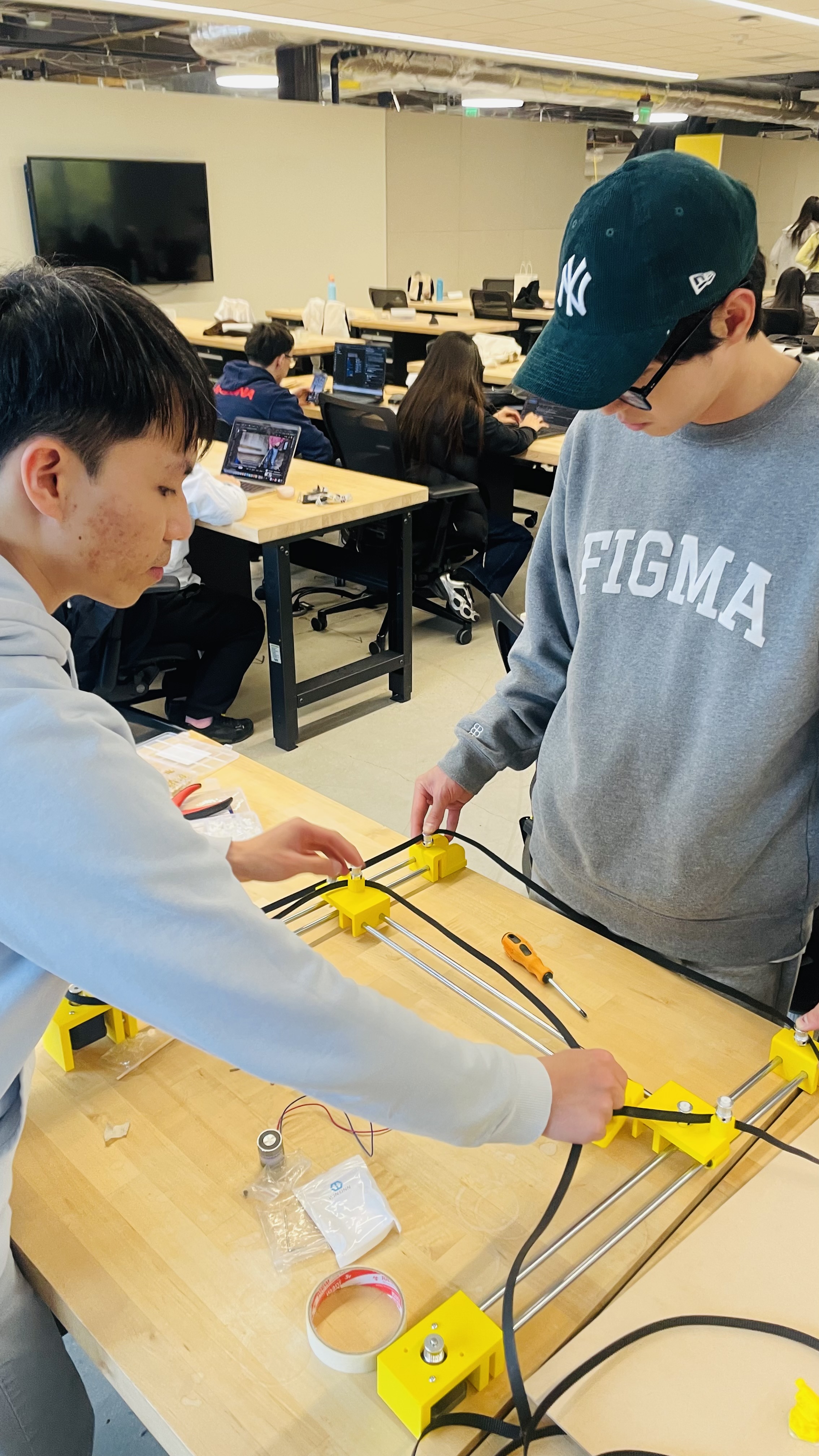
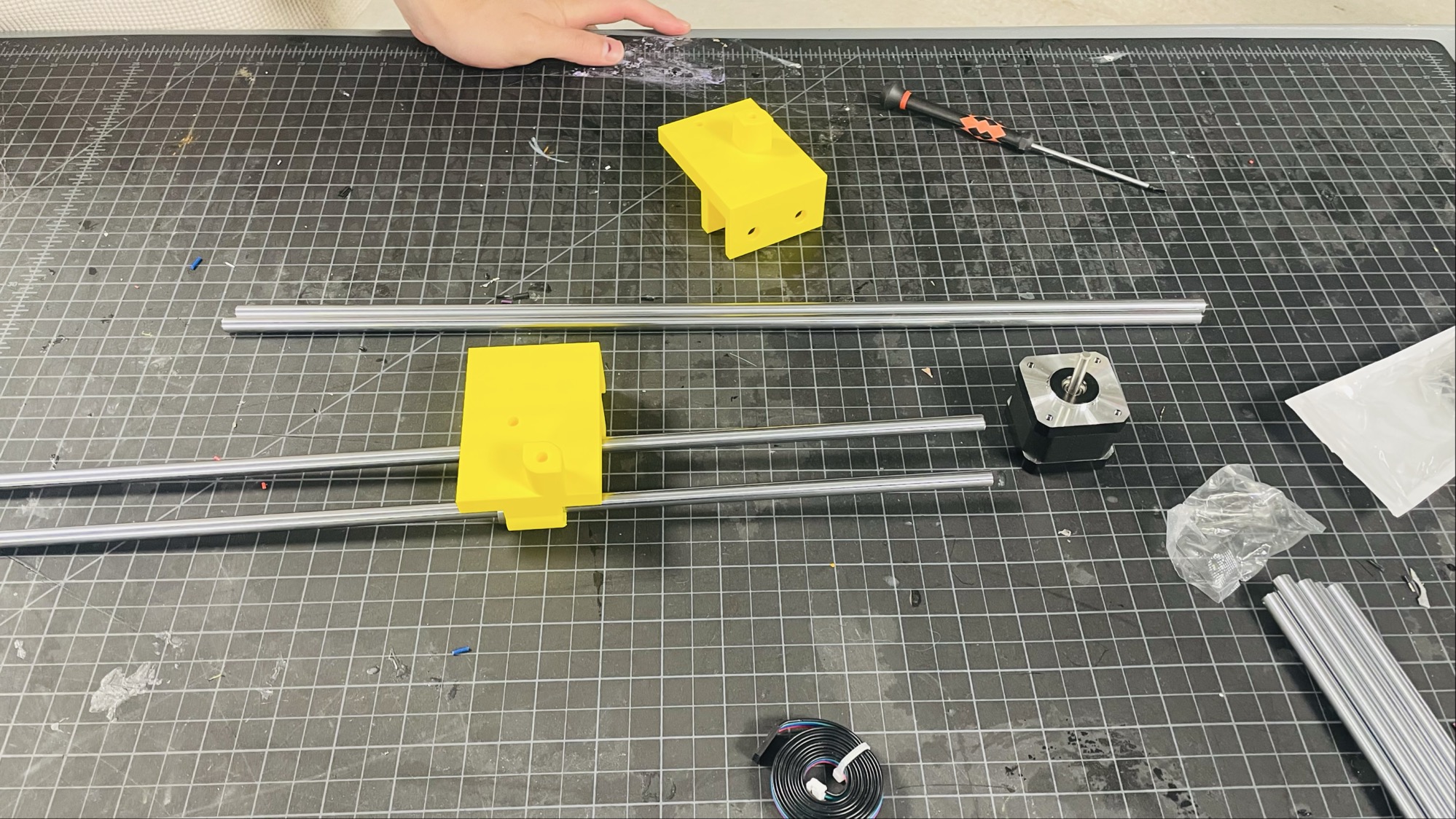
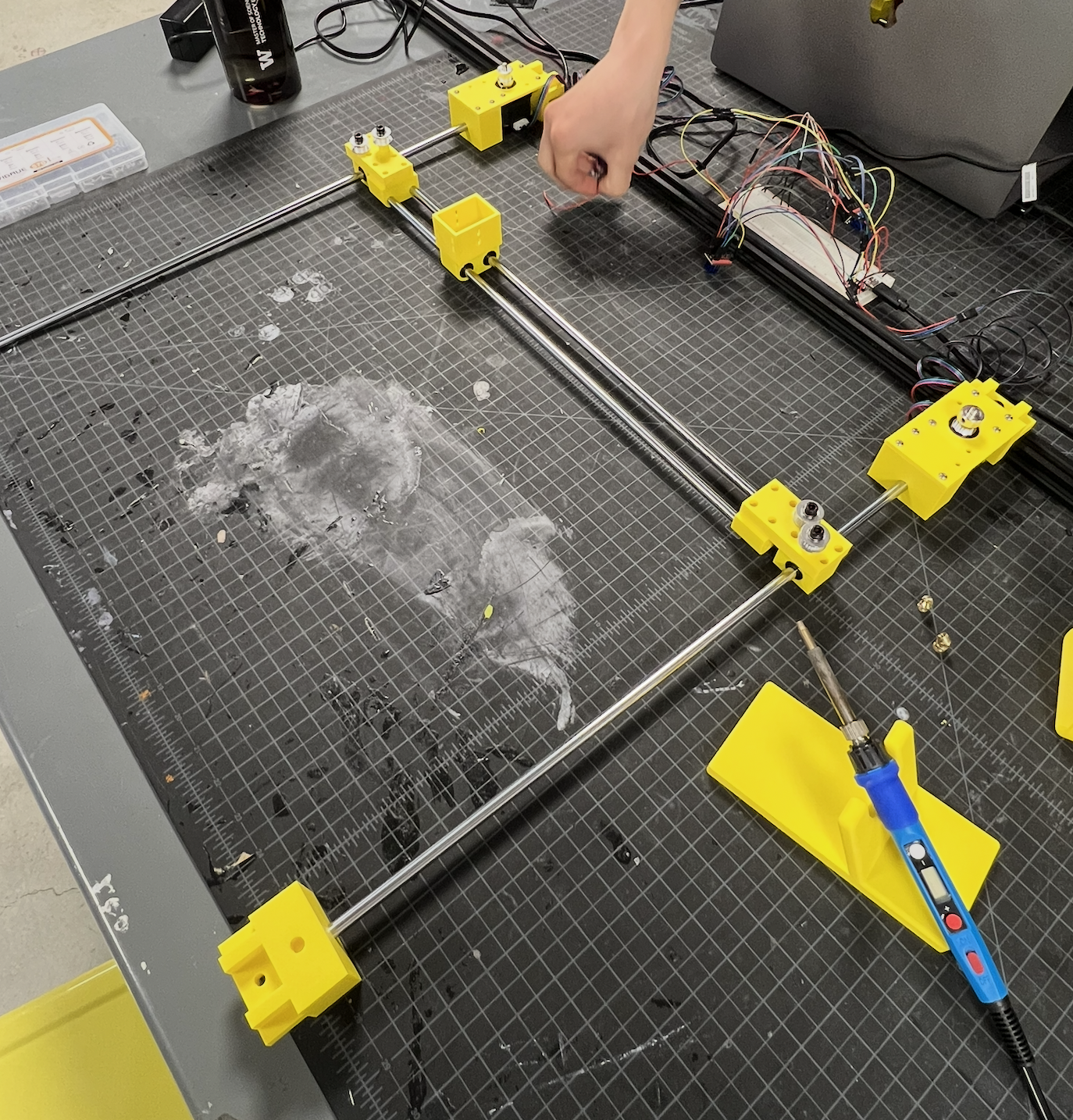
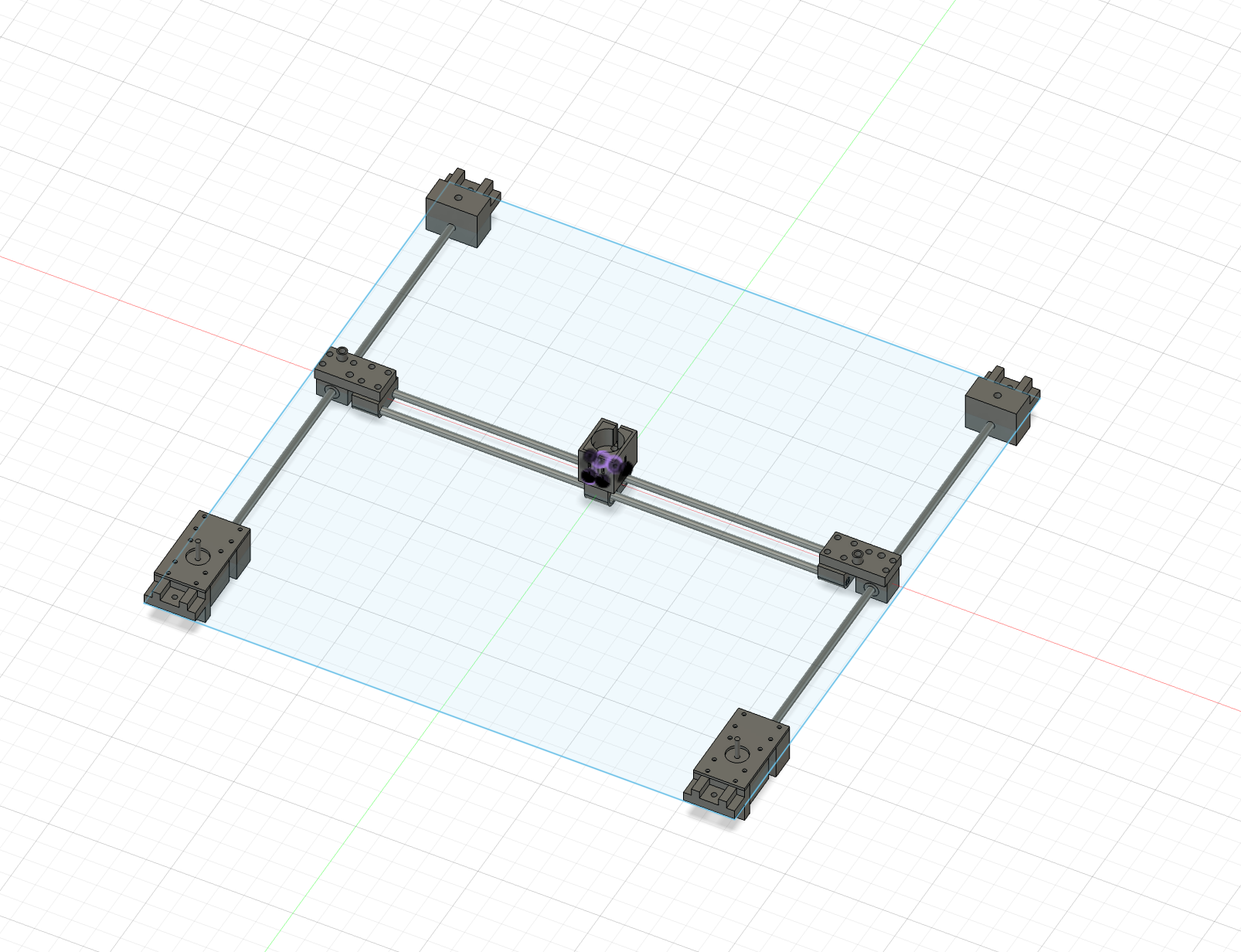
We explored multiple approaches including robotic arms before settling on a CoreXY belt-drive system inspired by 3D printer mechanics. We designed all custom brackets in Fusion 360, 3D printed them, sourced linear rods, belts, and NEMA 17 stepper motors within budget, and assembled the full gantry by hand. We wrote the firmware from scratch, implementing CoreXY inverse kinematics and Bresenham's line algorithm for smooth coordinated motion across 41cm × 41cm of travel.
 Drag to explore · Click to expand
 Drag to explore · Click to expand
 Drag to explore · Click to expand
Early assembly, components laid out, then first full gantry with breadboard wiring
 Drag to explore · Click to expand
 Drag to explore · Click to expand
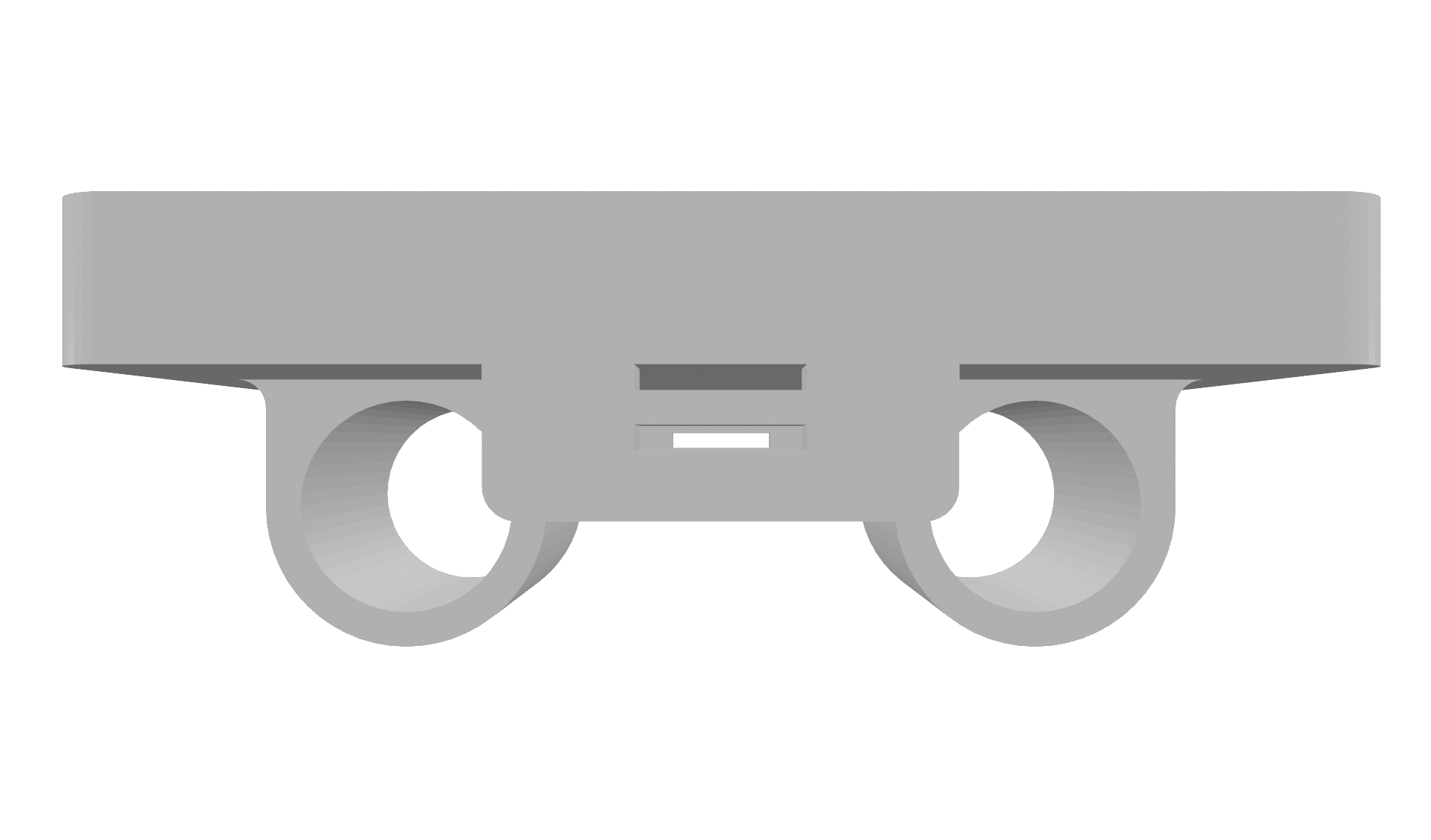
Fusion 360: carriage piece (top) and corner mount (bottom)
PHASE 02
Electromagnet
& Polarity
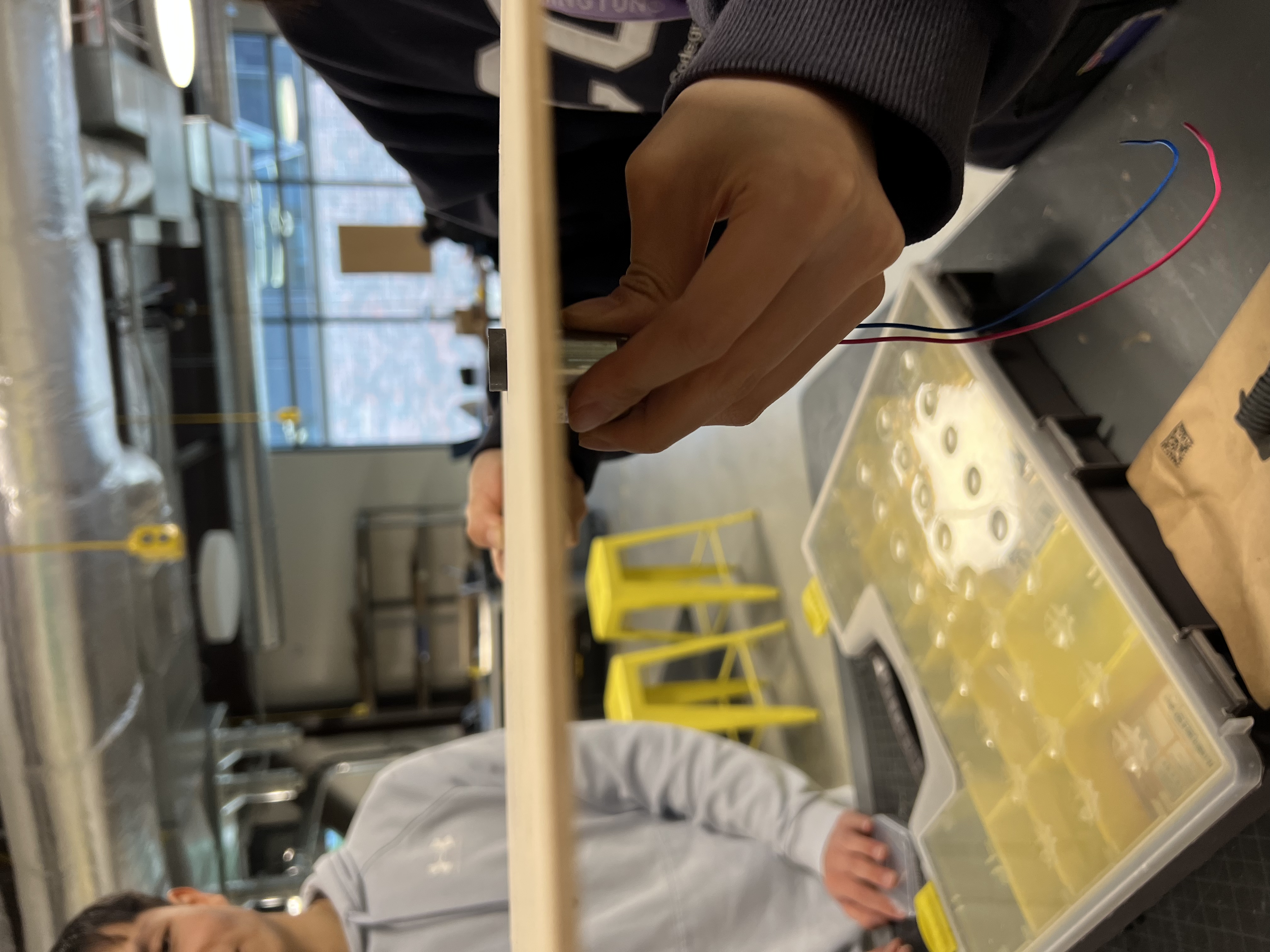
We selected an H-bridge-driven electromagnet and engineered a key insight: by switching the direction of current through the H-bridge, we could attract white pieces on one polarity and black pieces on the other, allowing the board to selectively pick up pieces by color. We physically tested magnetic penetration through different plywood thicknesses to find the right balance between structural stability and magnetic force.
 Drag to explore · Click to expand
Testing magnetic penetration through different plywood thicknesses
PHASE 03
Voice
Recognition
We integrated an ICS-43432 I2S MEMS microphone with the ESP32-S3 to capture voice commands, sending audio to OpenAI Whisper for transcription. The system parses the transcript for a chess move and sends it wirelessly to the Pico via ESP-NOW. Voice and web UI inputs are completely interchangeable. The physical board cannot tell the difference between a spoken command and a browser click.
PHASE 04
Custom
PCB
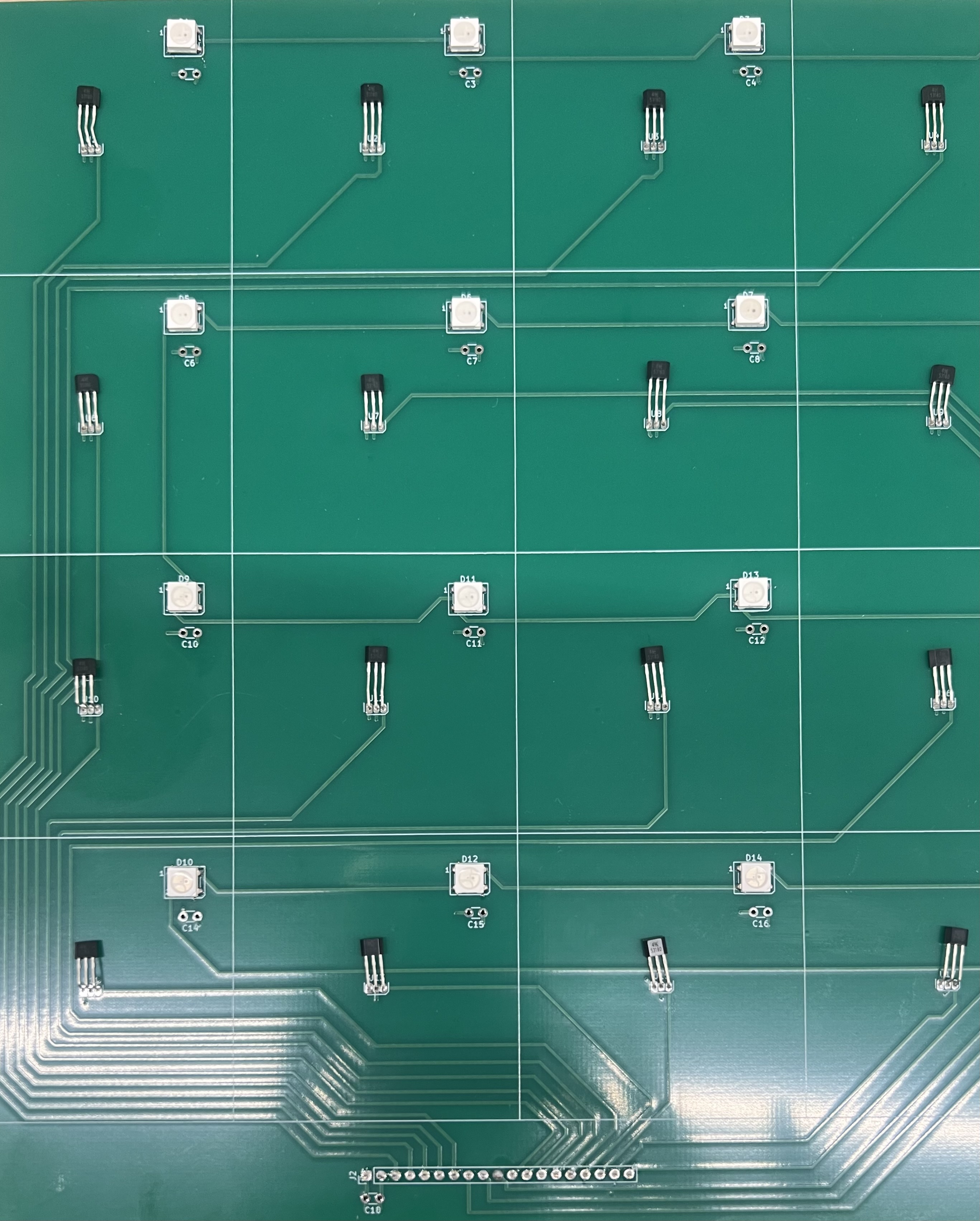
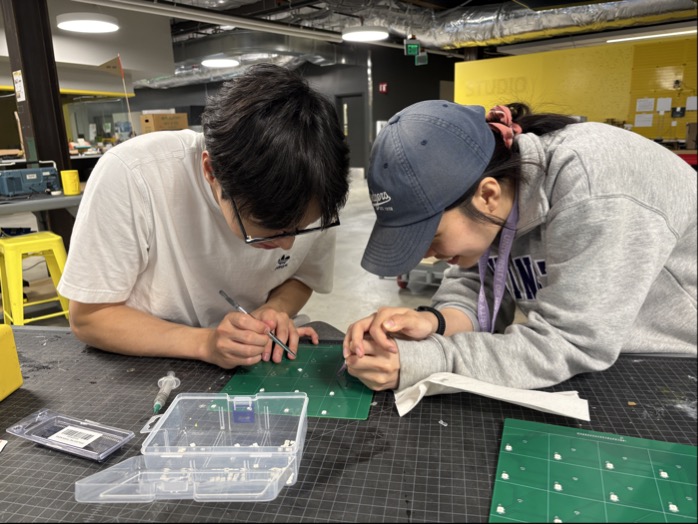
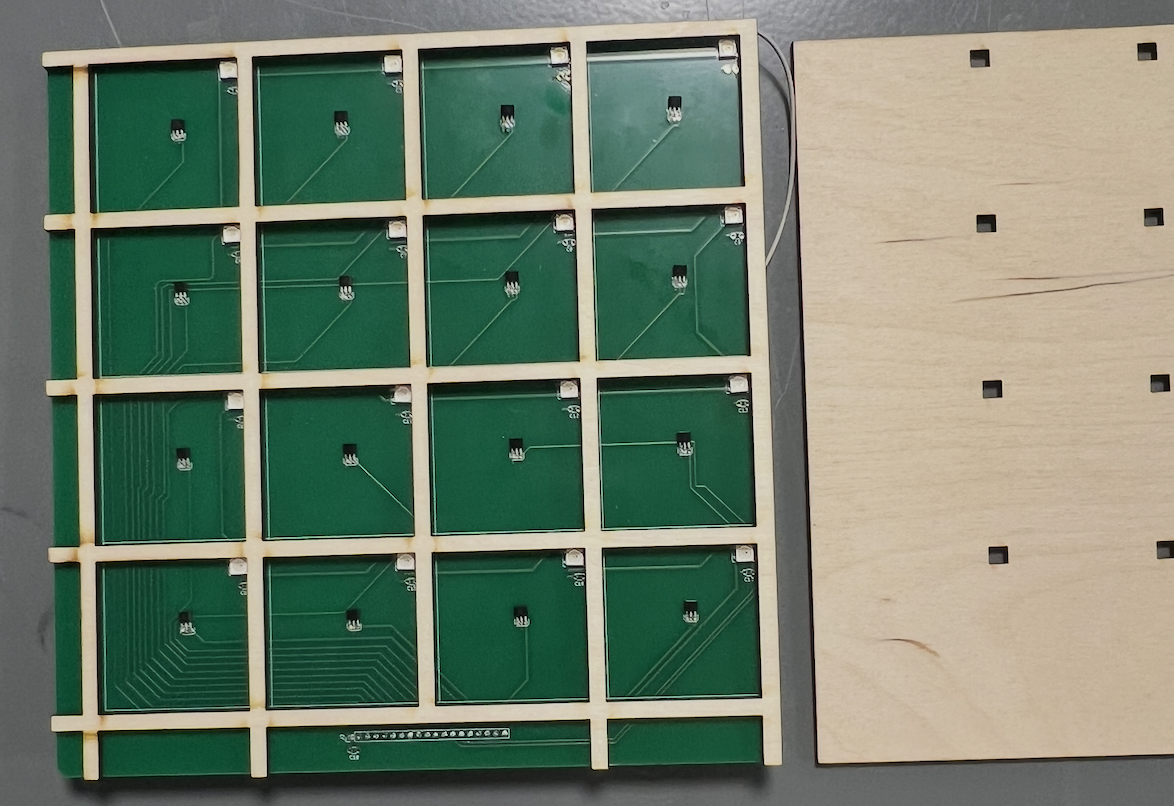
We designed custom 2-layer PCBs in KiCad integrating 64 A1302xUA Hall effect sensors and 64 WS2812B addressable RGB LEDs across four boards, one of each per chess square. The board was fabricated in Shenzhen, received, and hand-soldered using SMD reflow techniques. The Hall sensors detect and verify piece presence; the LEDs provide accessibility feedback highlighting valid moves and confirming correct placement.
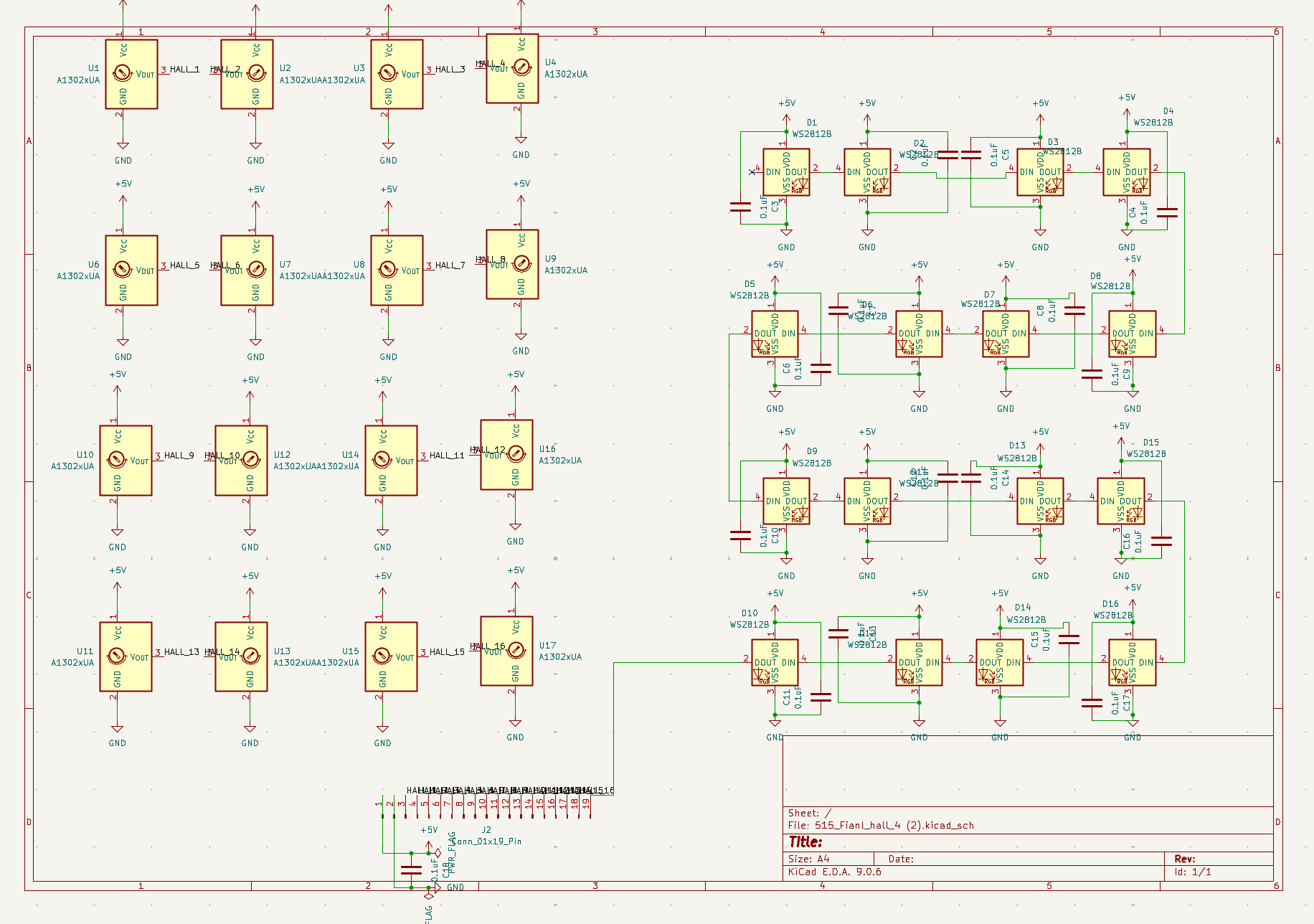 Drag to explore · Click to expand
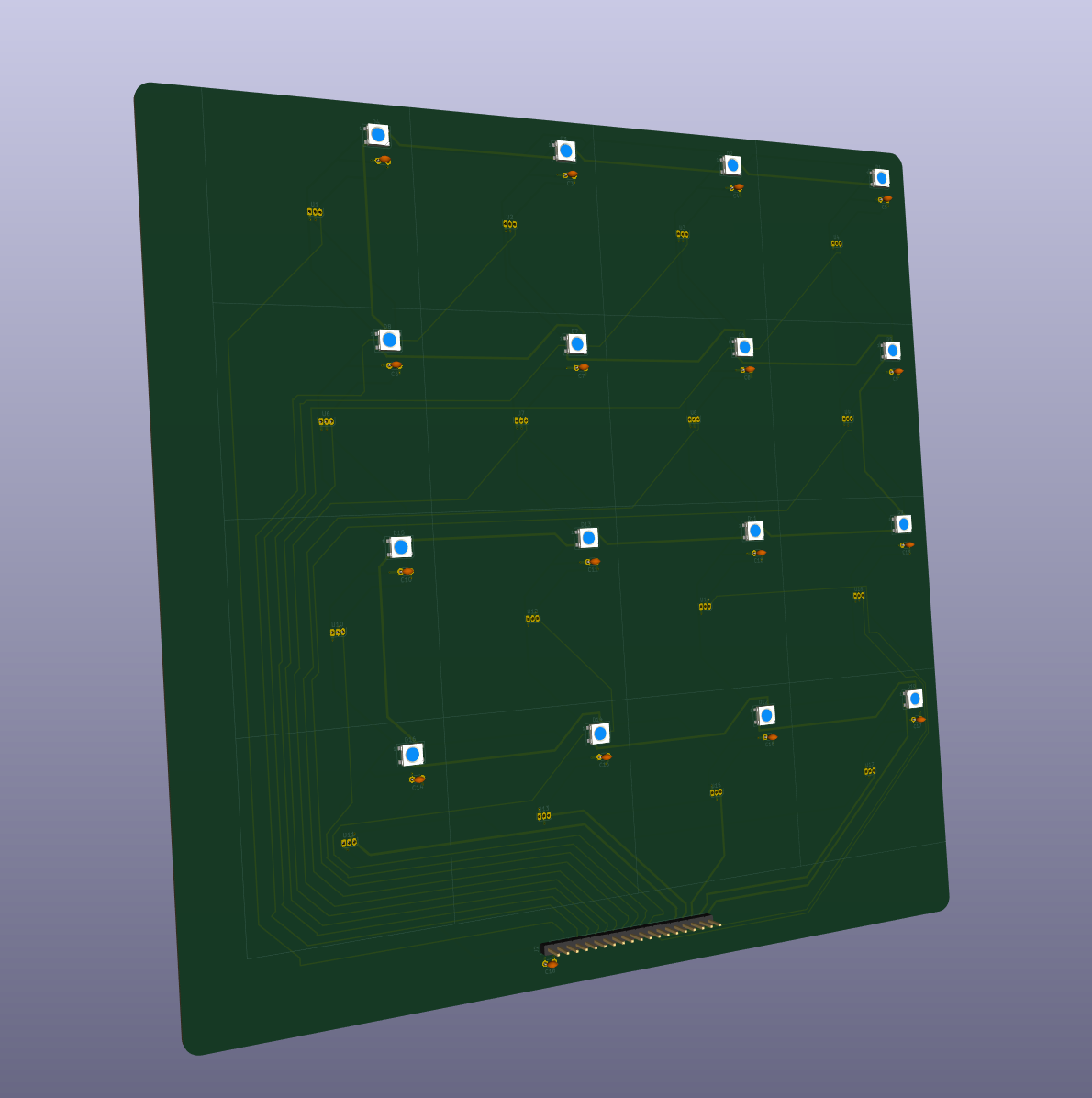 Drag to explore · Click to expand
KiCad schematic (Hall sensors + WS2812B LEDs) and PCB layout
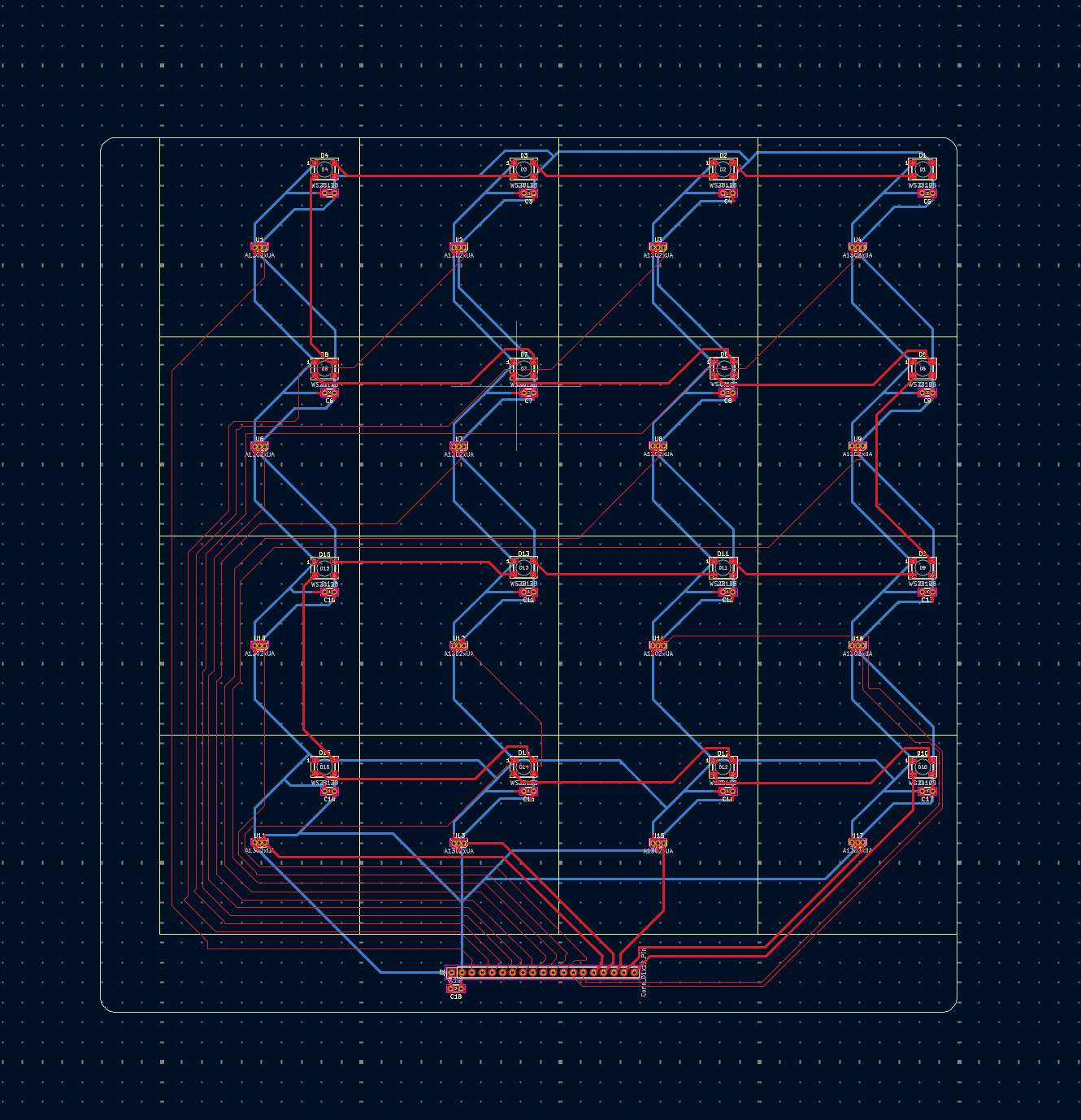 Drag to explore · Click to expand
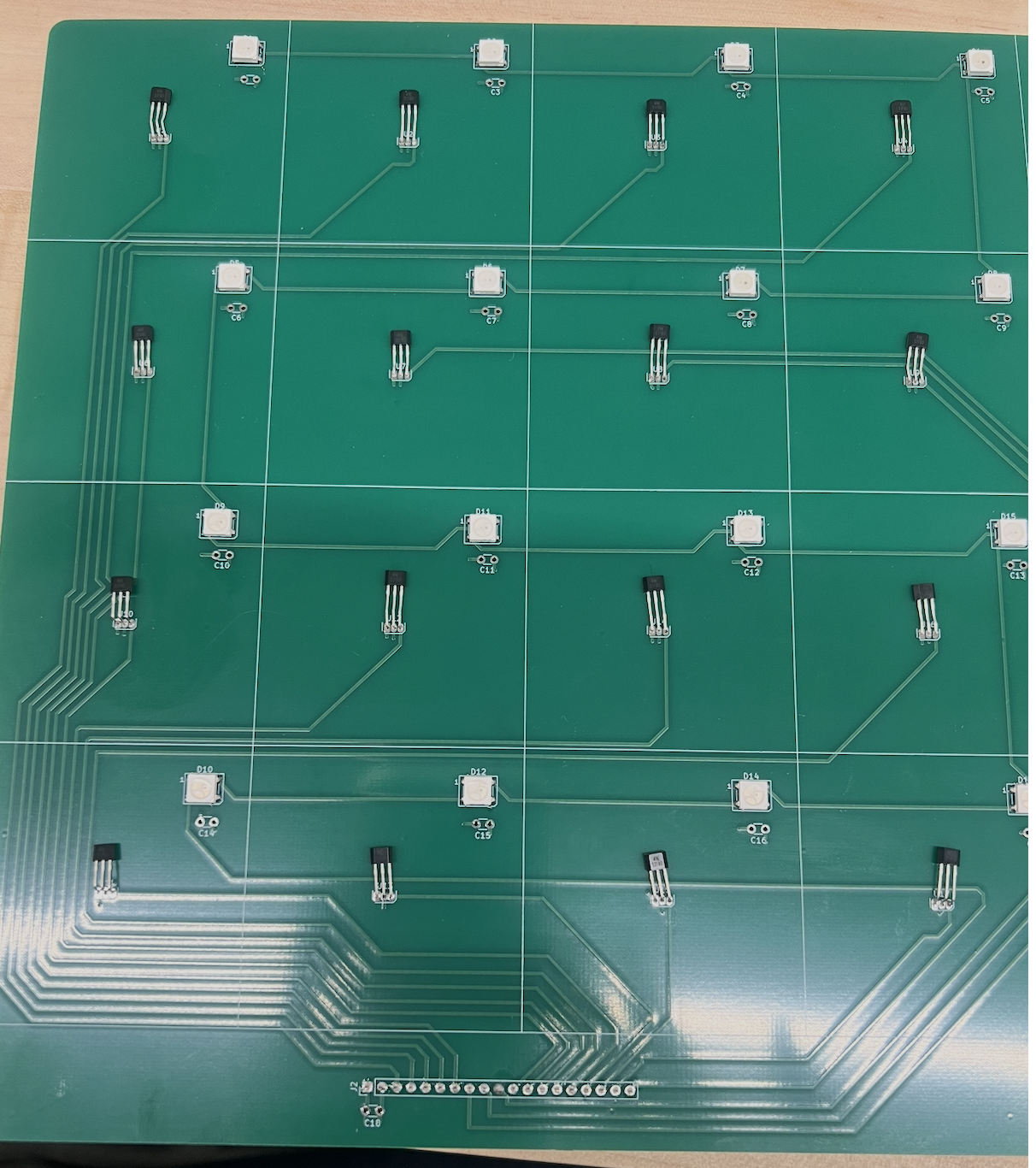 Drag to explore · Click to expand
KiCad 3D render to fully soldered PCB from Shenzhen
 Drag to explore · Click to expand
 Drag to explore · Click to expand
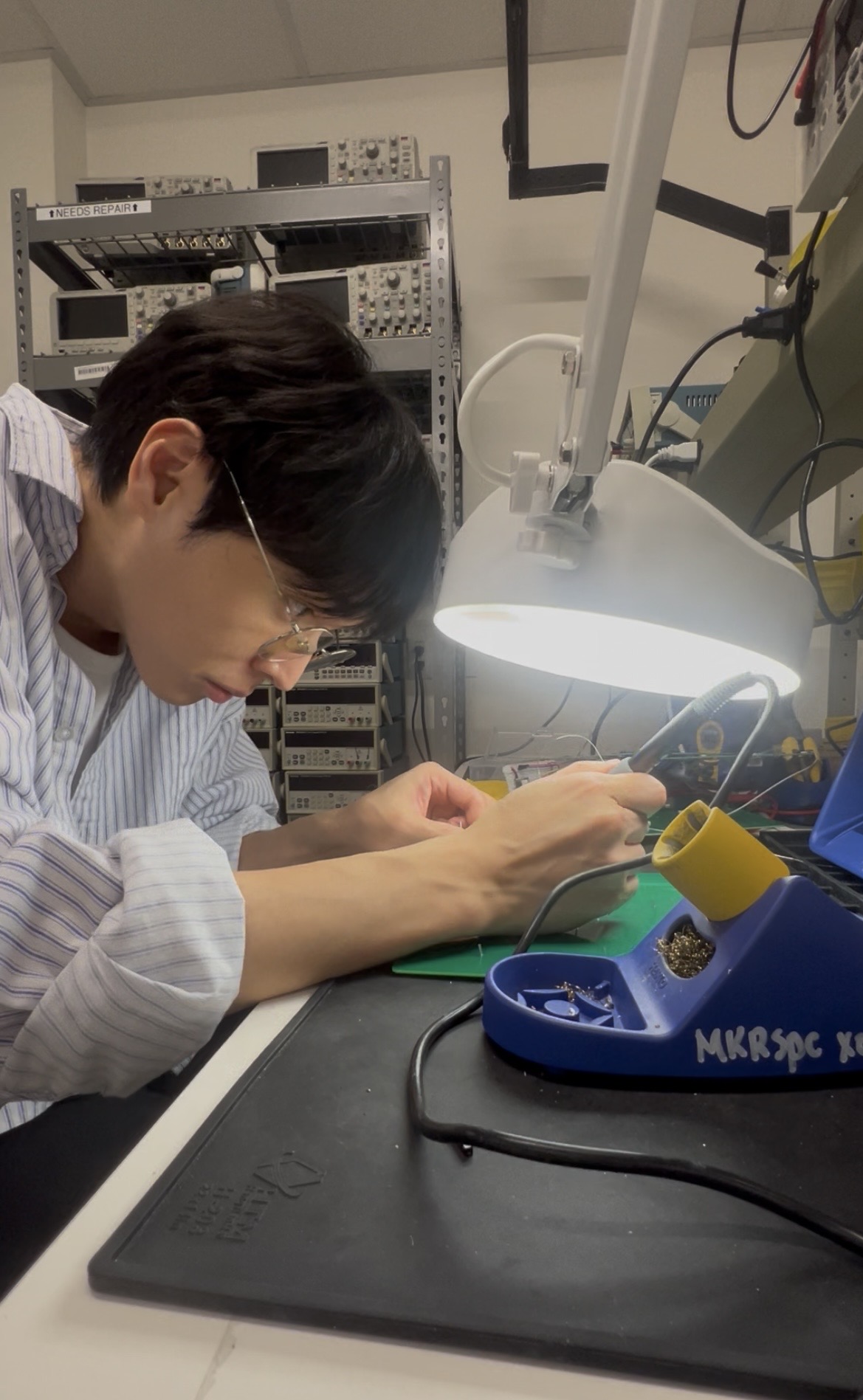
Hand-soldering SMD components, then PCB fitted perfectly into laser-cut wood frame
PHASE 05
SLA Chess
Pieces
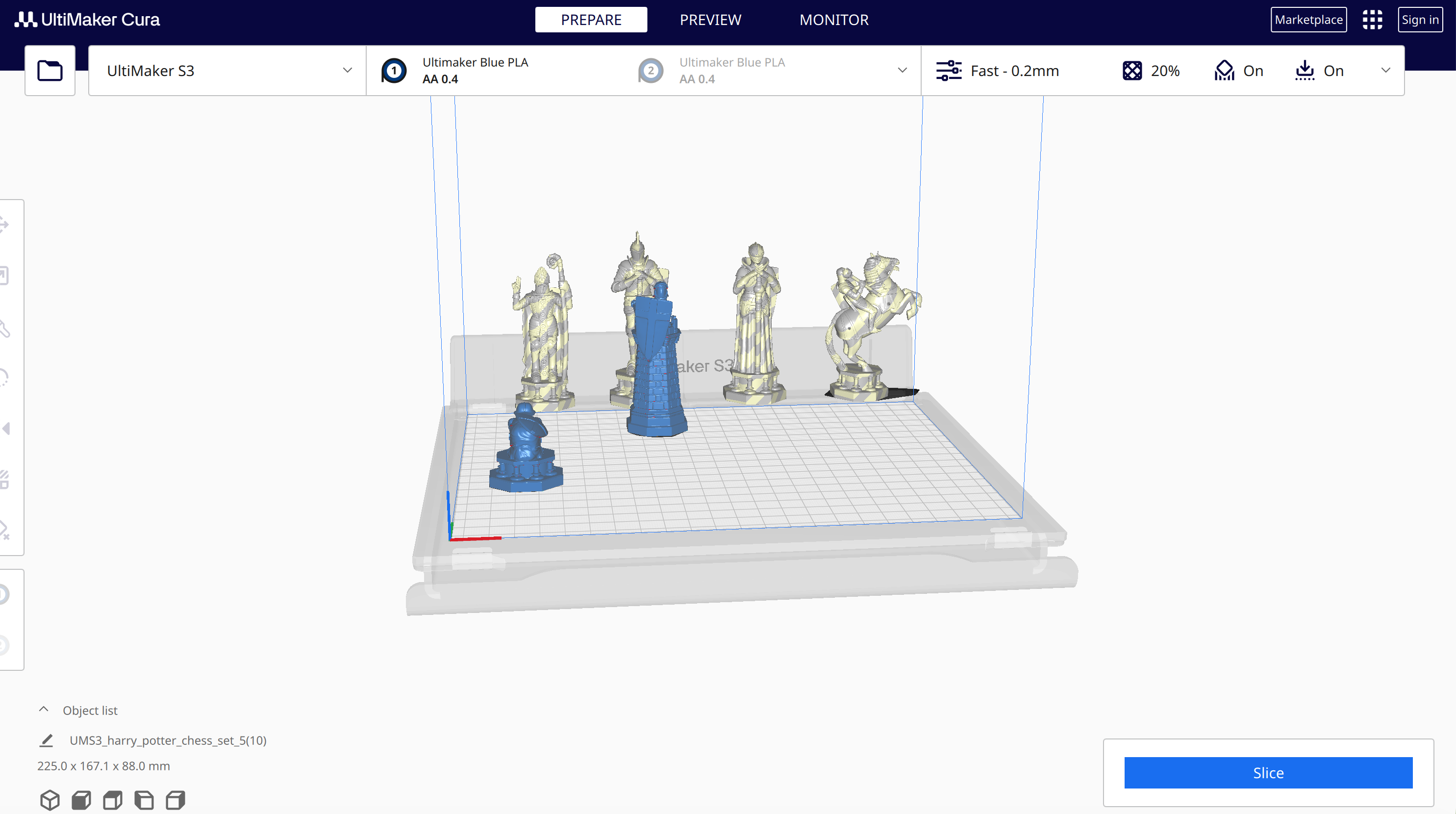
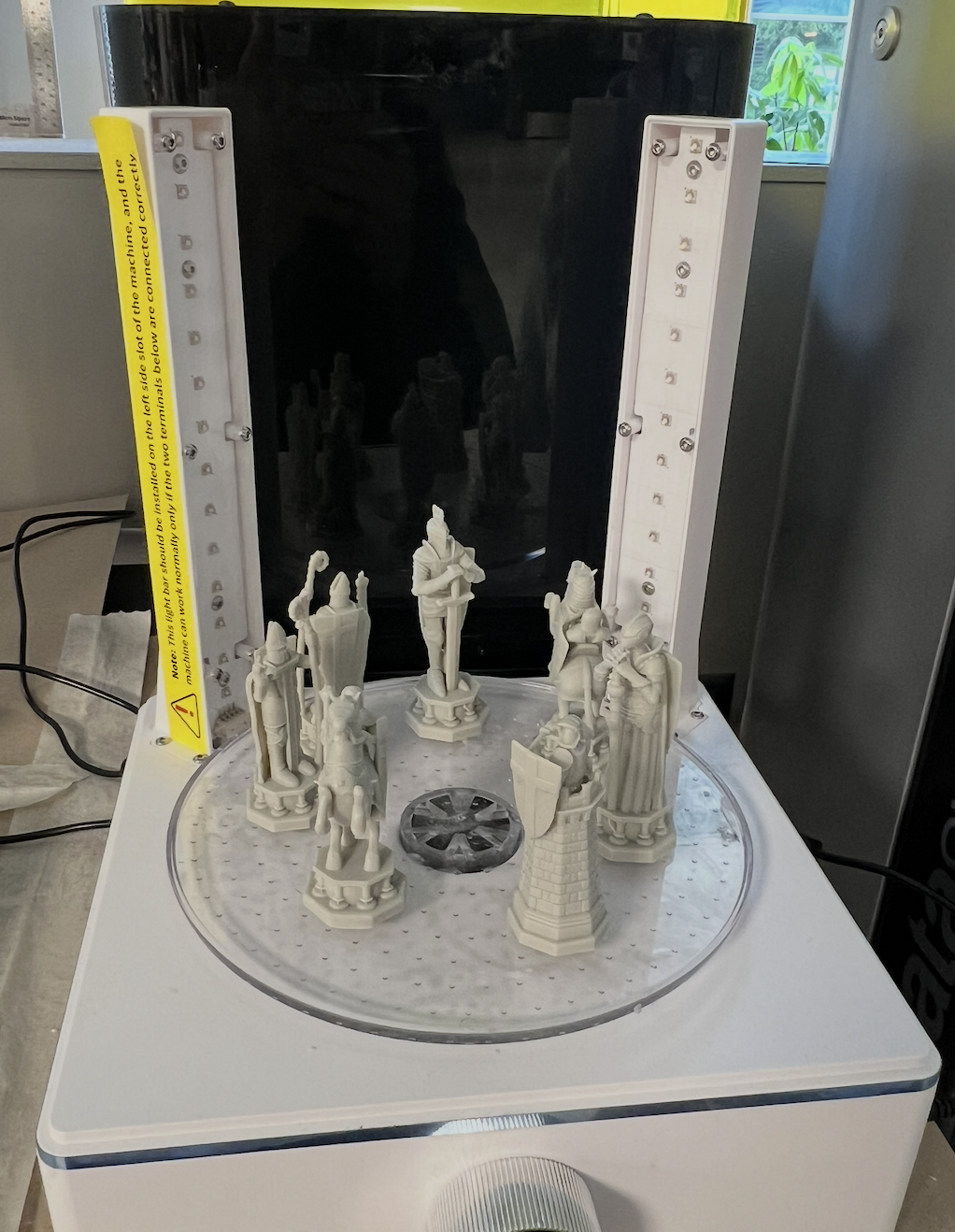
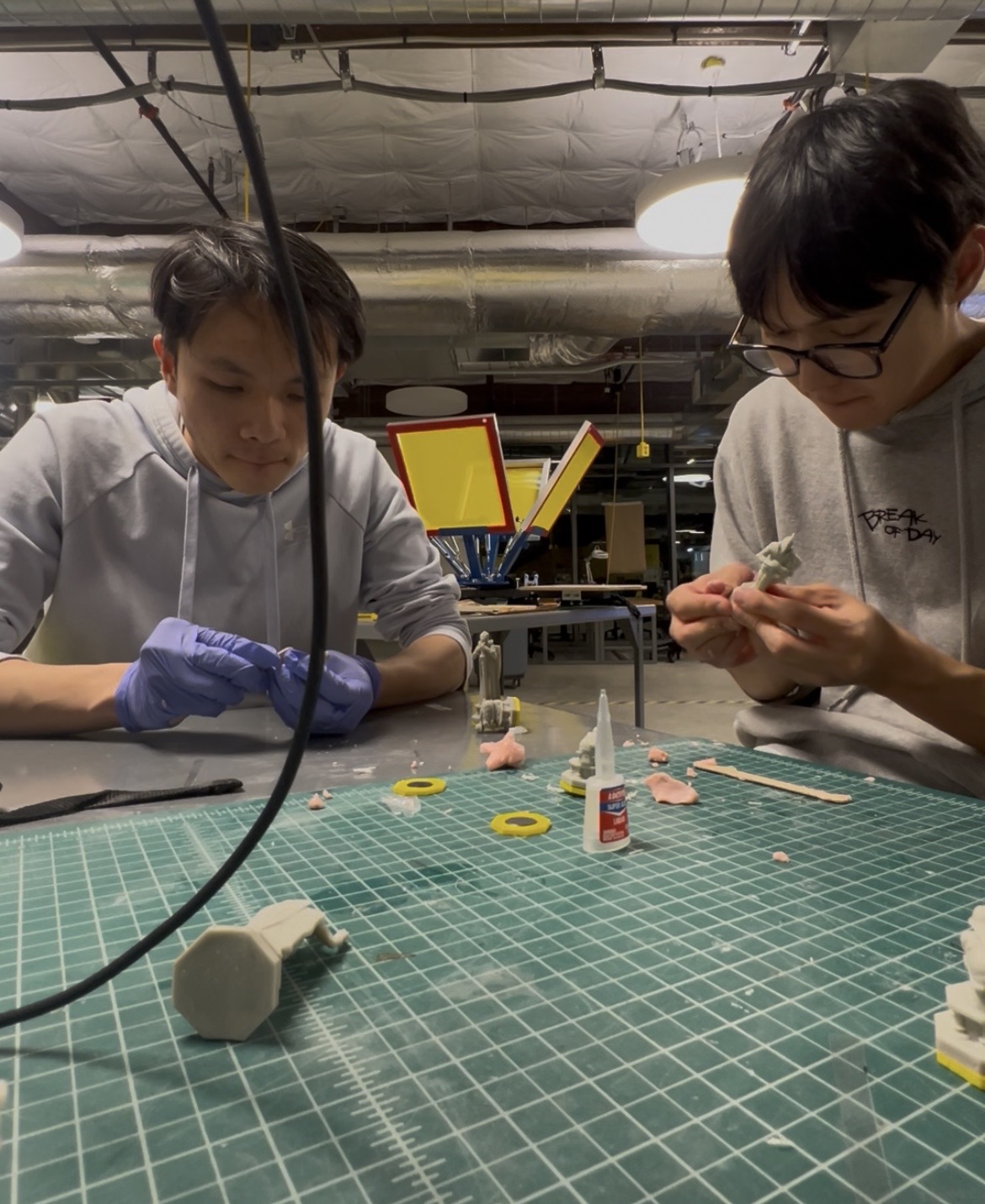
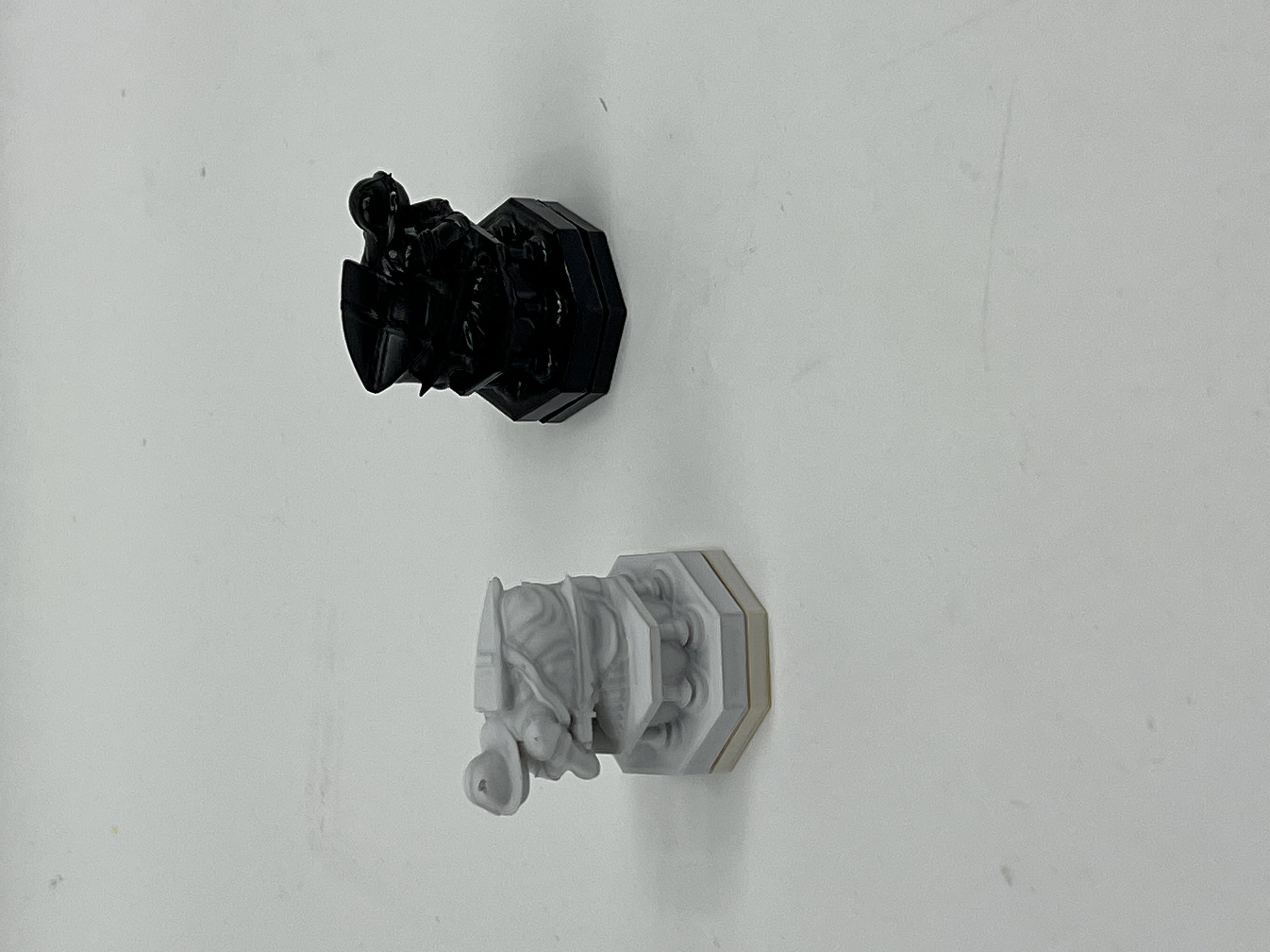
We 3D-printed a full Harry Potter-themed chess set using SLA resin printing on an ELEGOO printer, UV-cured them on a Mercury Plus curing station, post-processed and assembled by hand with super glue, then spray-painted one full set white and one set black, matching the electromagnet's polarity color coding so the board can distinguish pieces by color.
 Drag to explore · Click to expand
 Drag to explore · Click to expand
Sliced in UltiMaker Cura, then UV curing on the ELEGOO Mercury Plus station
 Drag to explore · Click to expand
 Drag to explore · Click to expand
Late-night post-processing, then finished white vs black pieces
PHASE 06
Web
Interface
Built entirely by me from scratch. A cinematic landing page with a 3D animated knight video, and a full game interface with an interactive chessboard, real-time WebSocket sync to the physical board, legal move highlighting (blue for moves, red for captures), captured pieces tracking, per-player timers, game status detection, and Stockfish 18 AI running entirely in the browser as a Web Worker. Two browsers on the same LAN stay in sync in real time. A voice move at the board reflects on every connected screen instantly.
Try it live. The web interface is deployed and working.
Open →PHASE 07
T-Mobile
Demo Day
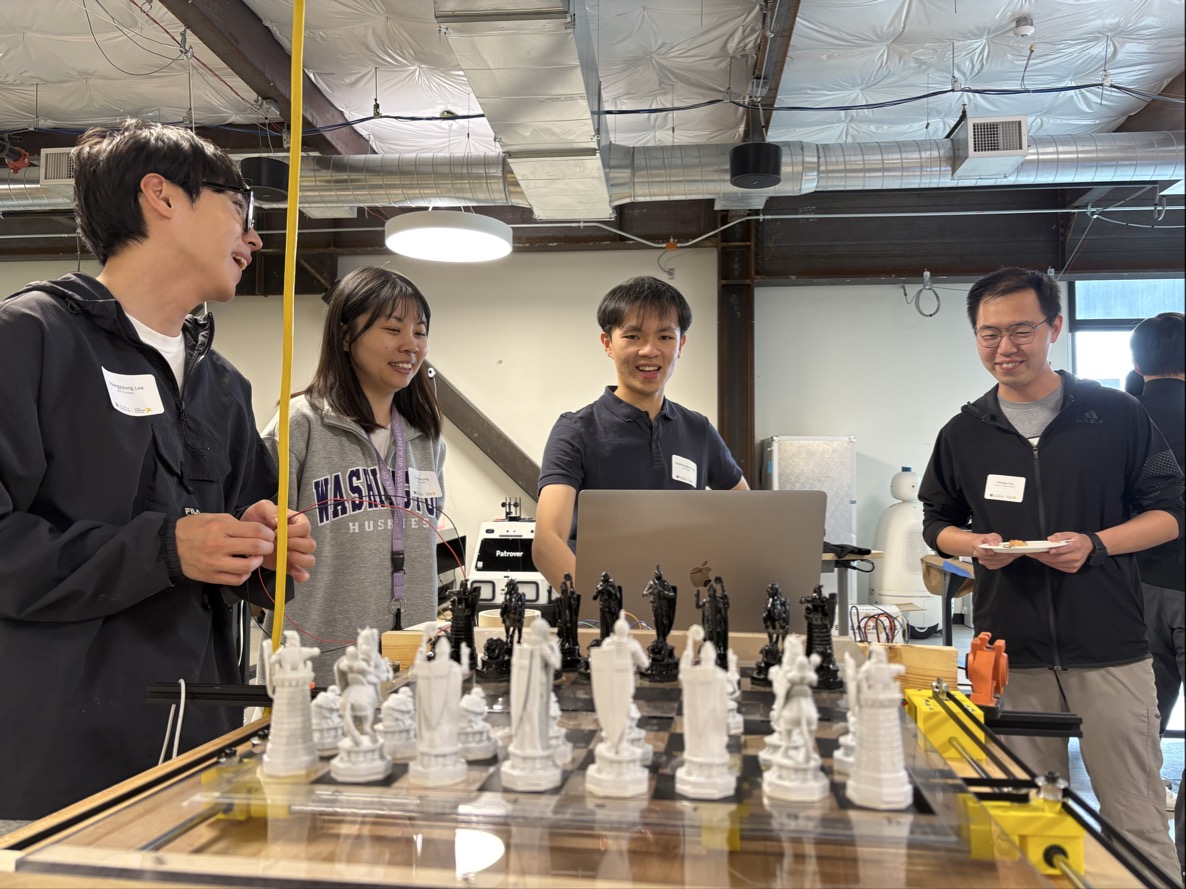
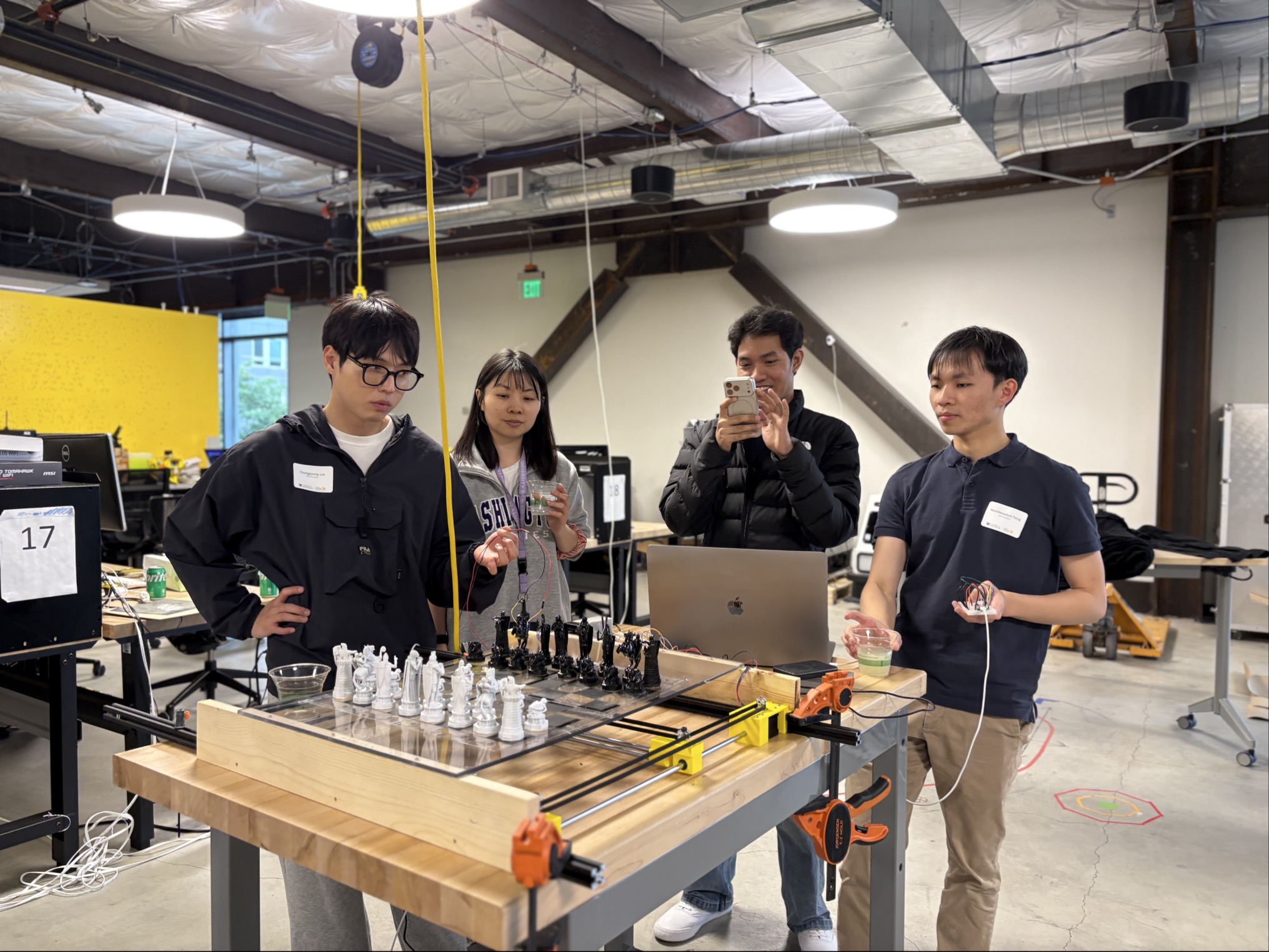
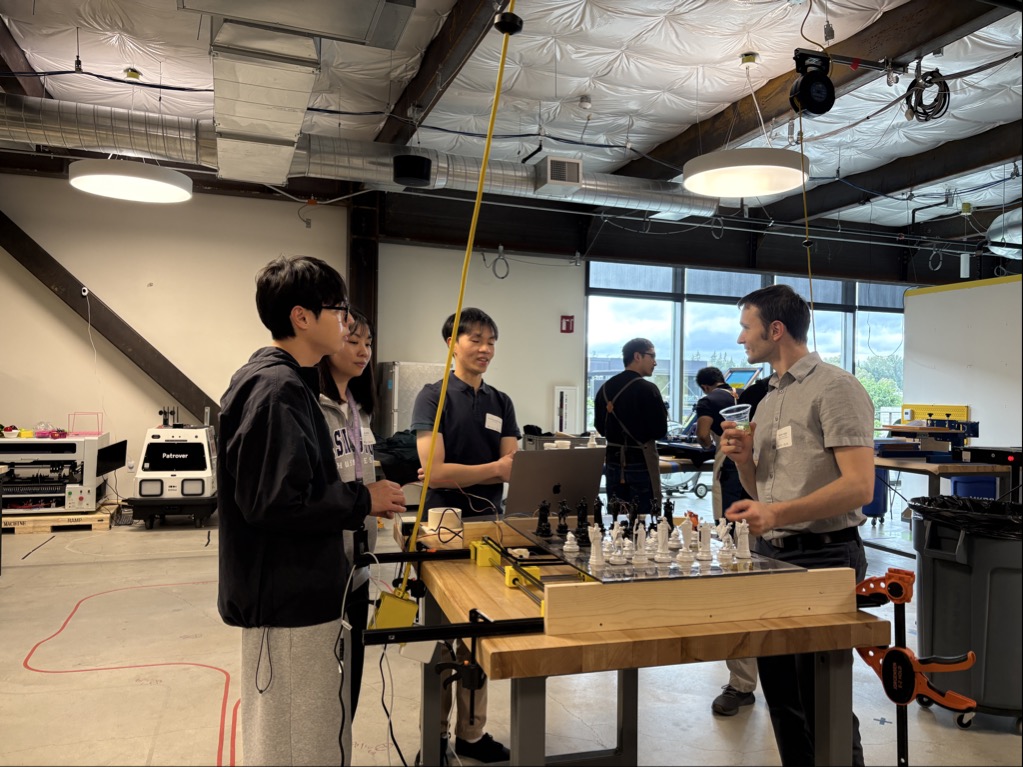
We presented our full integrated system to the T-Mobile accessibility team, demonstrating end-to-end piece movement, voice control, and the web interface live. The board worked, but the demo surfaced three real engineering problems we needed to solve before final delivery.
Chess pieces too heavy.
The SLA resin pieces were solid and dense. Under the electromagnet's pull they dragged correctly, but the extra mass caused some pieces to get stuck mid-move on the gantry rail.
Top layer sagged in the middle.
With the PCB sandwiched between enclosure layers, the bottom of the top layer was too thin and flexed downward at the center, increasing the gap between electromagnet and board surface right where accuracy mattered most.
No way to verify chess piece location.
The Hall effect sensors were designed into the PCB but hadn't yet been integrated into the live board. Without confirmation that pieces were actually sitting on the right squares, the system was running blind.
 Drag to explore · Click to expand
 Drag to explore · Click to expand
 Drag to explore · Click to expand
T-Mobile sponsor demo, board working, three engineering issues identified
PHASE 08
Limit Switches
& Homing
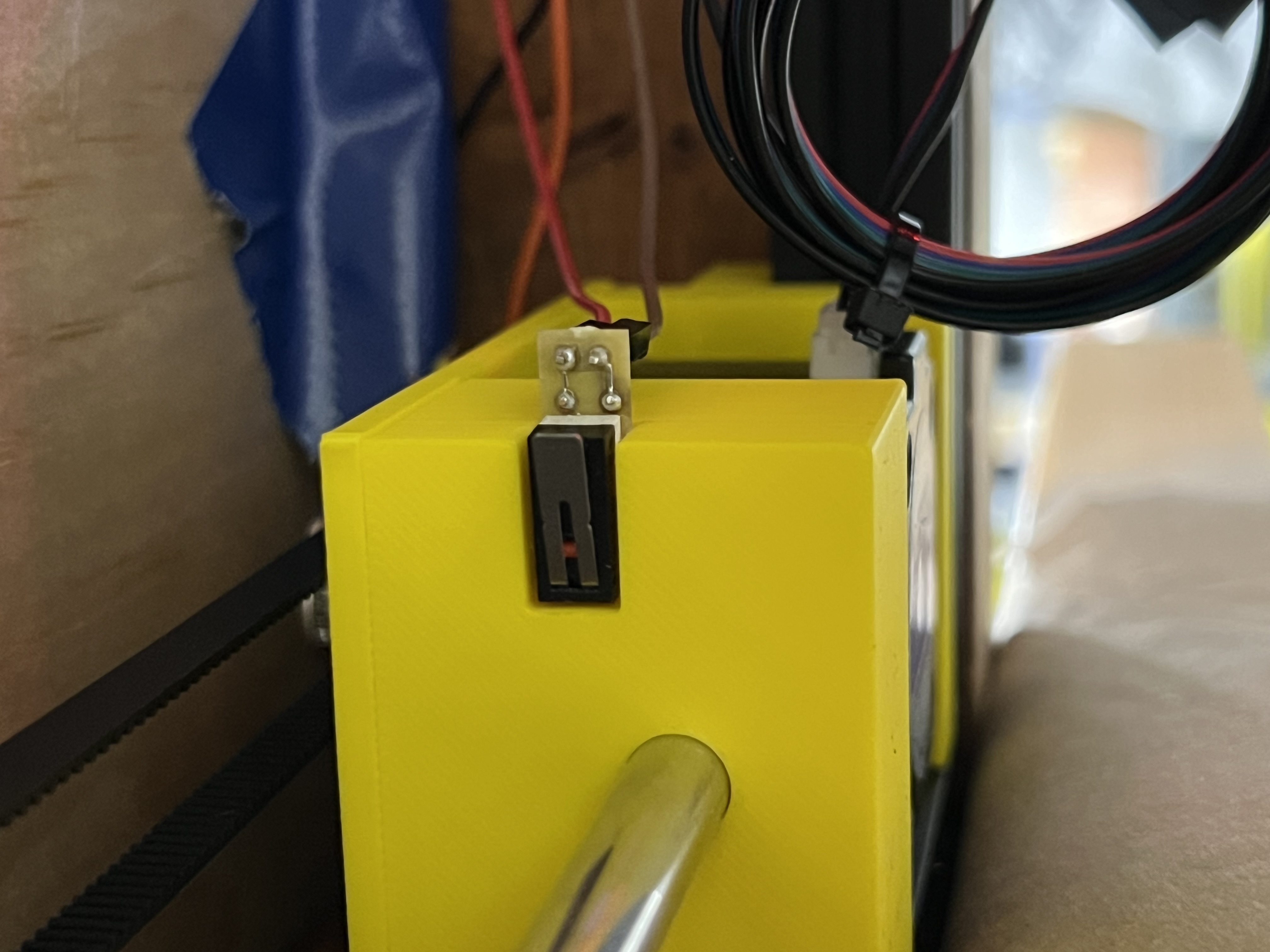
After the T-Mobile demo we added mechanical limit switches to the CoreXY gantry. The board moved pieces reliably during the presentation, but we had no reliable way to know where the magnet carriage actually was, especially on startup or after a long session of moves.
The main reason is homing. When the chessboard first turns on, the system does not automatically know where the magnet carriage is. The limit switch lets the carriage move to a known edge position, usually the home corner, so the firmware can set that point as X = 0, Y = 0 before any move is sent.
It is also important for accuracy. XY systems like ours use stepper motors, and stepper motors do not know their true position. They only count steps. If a motor skips steps, slips, or gets blocked by friction, the software position can drift from reality. Limit switches give the firmware a physical reference to recalibrate against, driving slowly to each edge, backing off, and re-measuring travel so the board can recover without manual intervention.
HOW HOMING WORKS
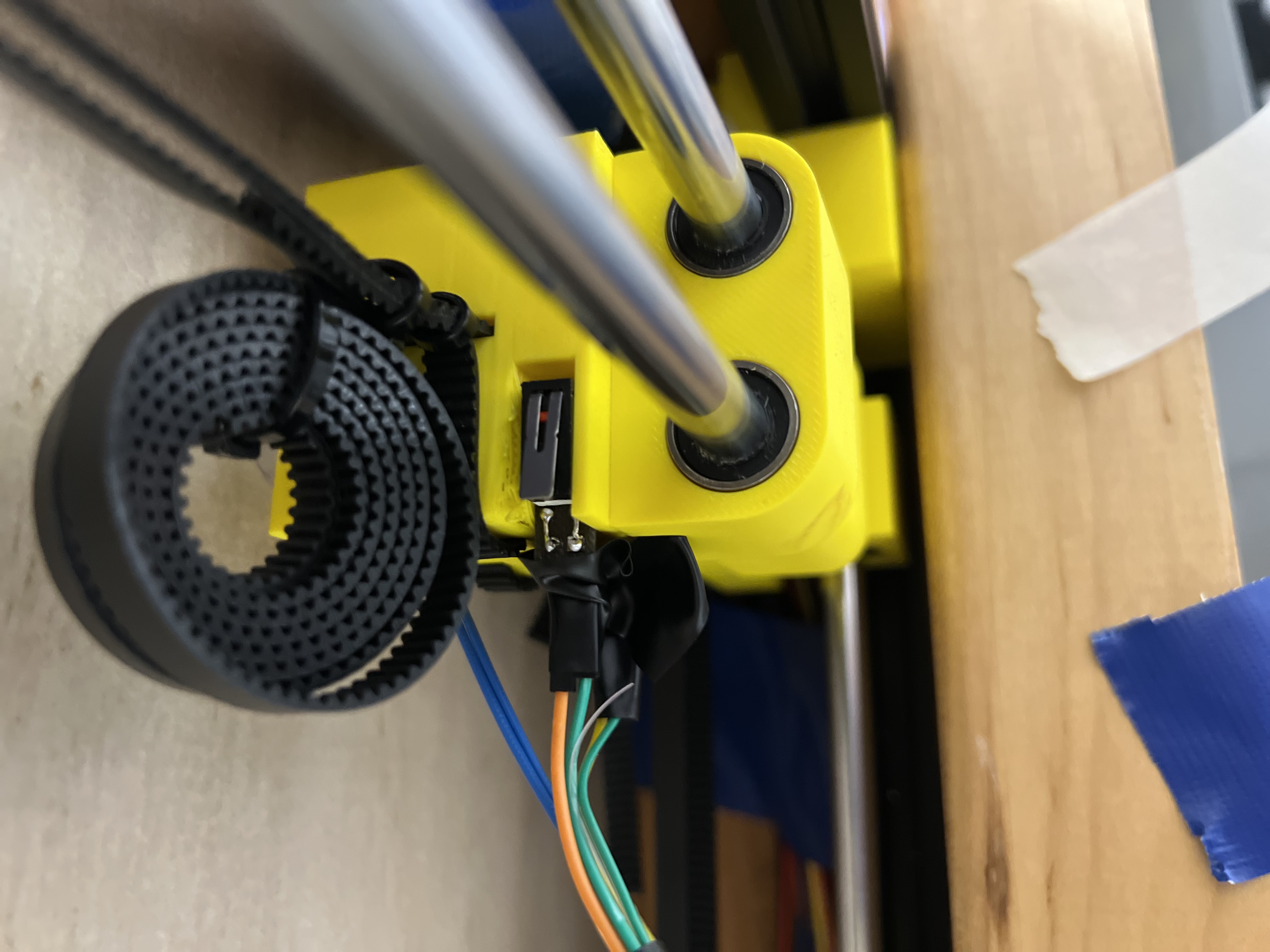
Six switches across both axes
One switch per X end, plus two per Y end to cover the dual-rail gantry. Each switch is wired active-low with a pull-up resistor.
Startup calibration sequence
On boot the carriage homes to -X, then +X, then -Y, then +Y, backing off slightly after each hit so the switch releases before the next move.
Runtime safety stop
During normal moves the firmware checks switches in the direction of travel and stops immediately if a limit is hit unexpectedly, then triggers a full recalibration.
 Drag to explore · Click to expand
 Drag to explore · Click to expand
X-axis limit switch at home edge and Y-axis limit switches on the dual-rail gantry
PHASE 09
Enclosure
Engineering
After the T-Mobile demo we addressed all three enclosure issues and added limit switch homing before building the final enclosure. The electromagnet imposes a hard constraint: the total top-layer thickness must stay at or under 11 mm for the magnetic field to reliably move pieces through the surface. Every design decision flowed from that number.
HOW WE FIXED EACH ISSUE
Lighter pieces
Hollowed out the interior of each chess piece to dramatically cut weight while keeping the base magnet in place. The electromagnet now slides pieces cleanly without sticking or stalling.
Sagging solved with a torsion layer
Rather than using a thick 1/4" bottom layer (which would eat into our 11 mm budget), I investigated and found we could use a thinner 1/8" bottom layer plus a 1.5 mm torsion sheet on top. The torsion layer distributes load across the PCB sandwich and prevents center sag even when only screwed down at the four corners.
Eliminated a full top layer
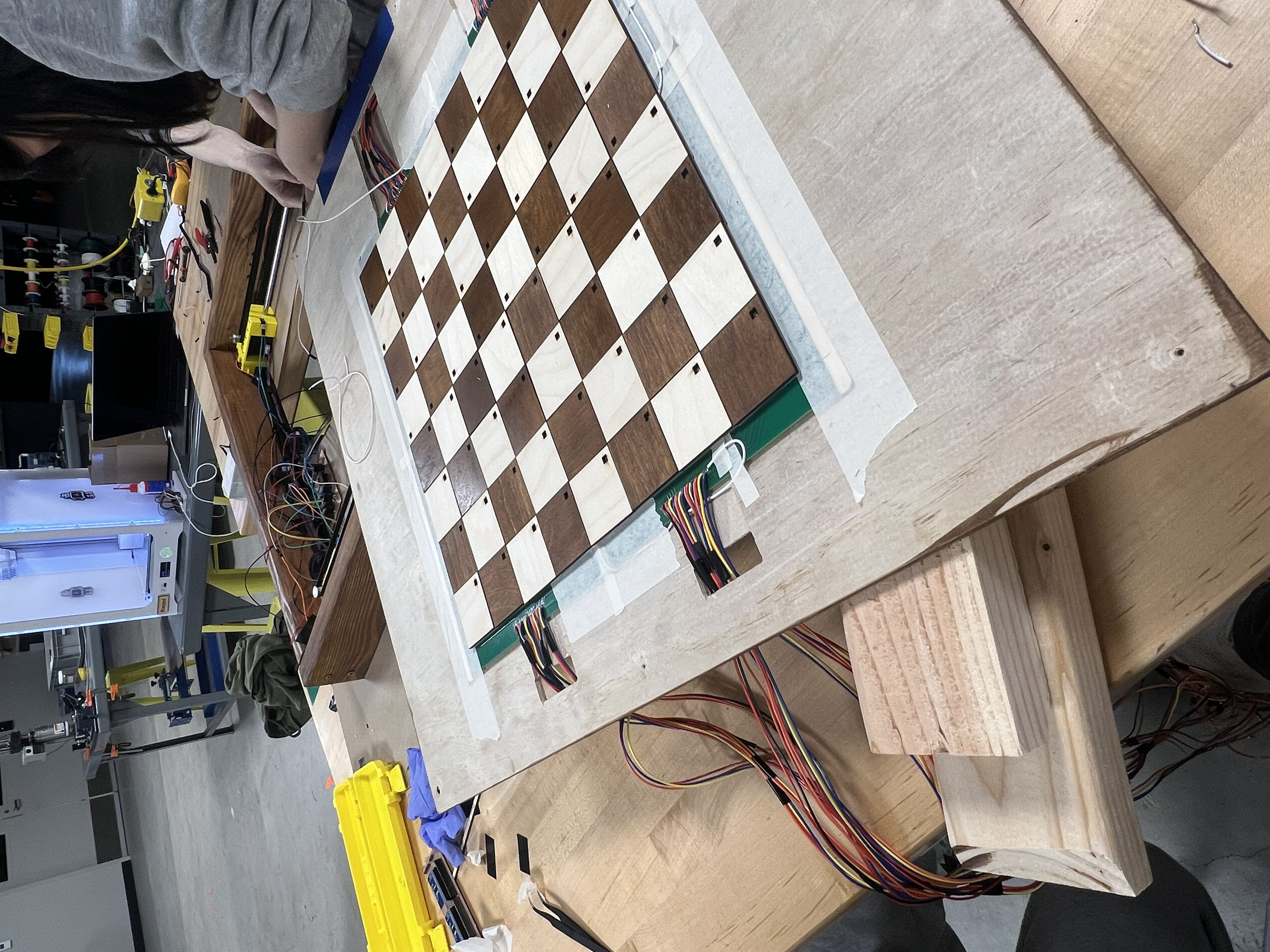
Instead of laying a separate top sheet and applying chess square decals on top of it, we cut the chess board squares directly out of the PCB layer itself. This removed an entire layer of material and brought our total stack to 9.25 mm, comfortably within the 11 mm limit.
Hall effect sensor integration
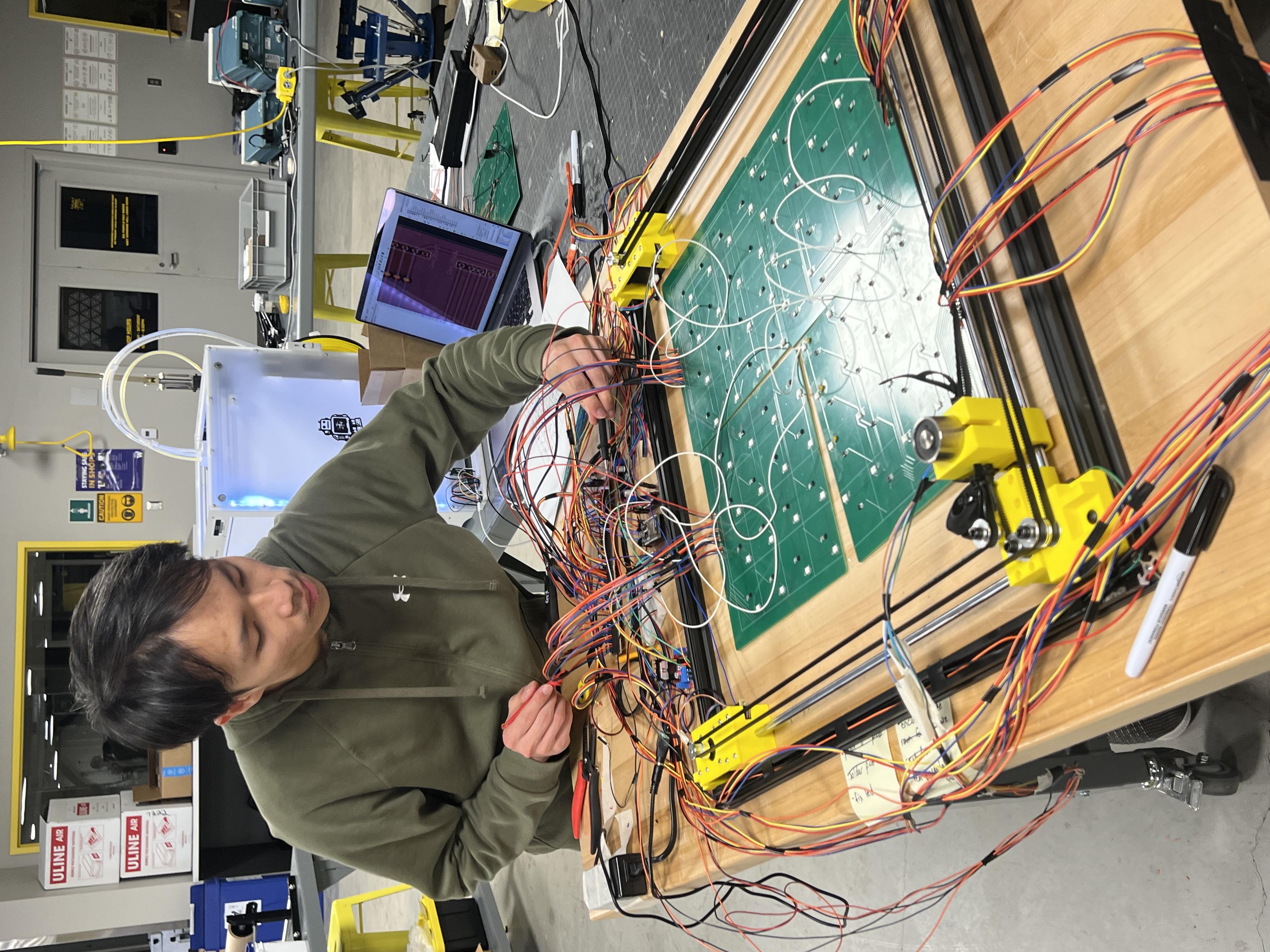
We wired up the A1302xUA Hall sensors already on the PCBs, tested all 64 sensors individually, confirmed detection, and merged the firmware so piece position is now verified after every move in real time.
 Drag to explore · Click to expand
 Drag to explore · Click to expand
Final hardware validation before enclosure, then four PCB boards mounted on the bottom top layer
 Drag to explore · Click to expand
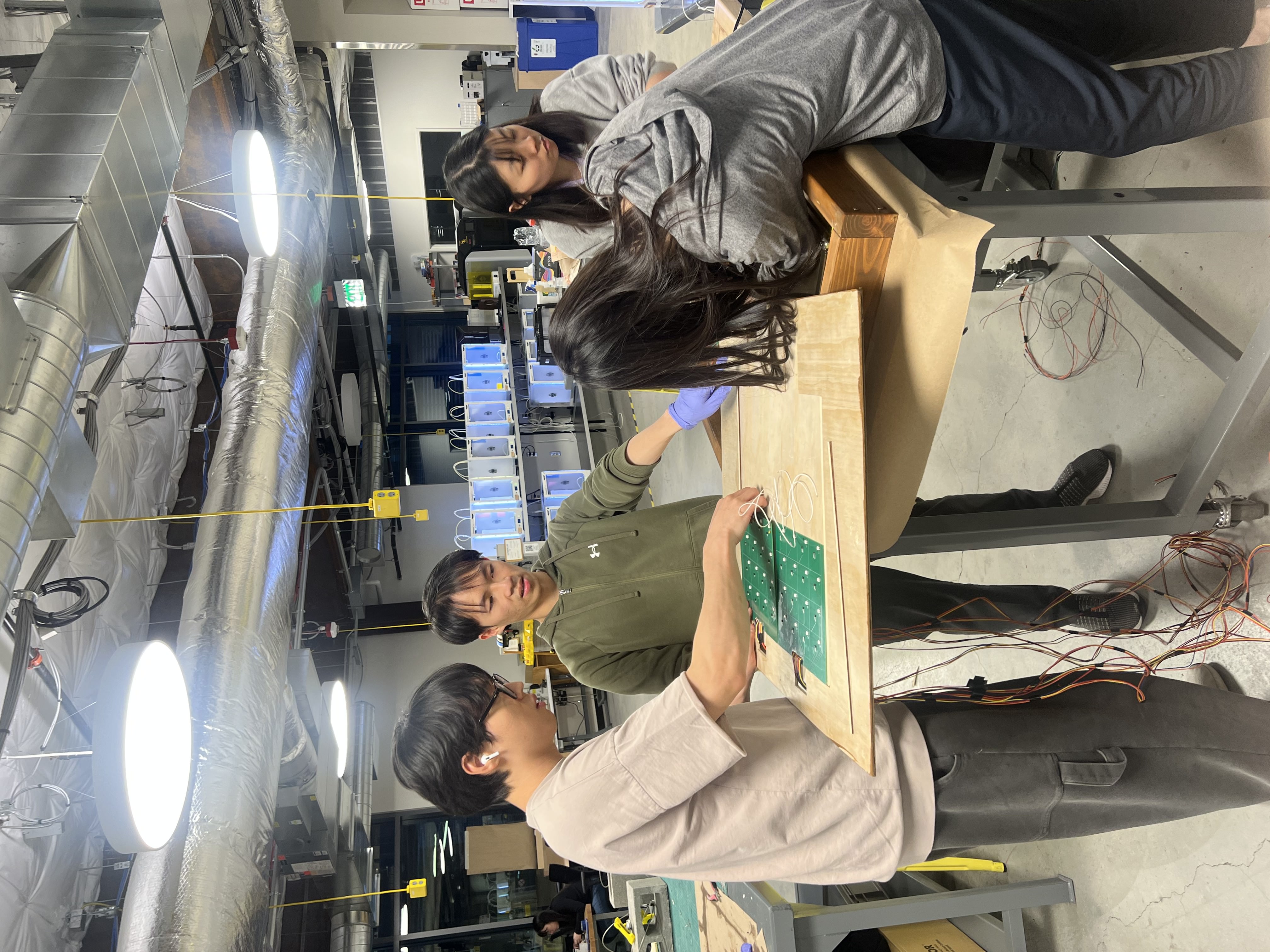
Full team integrating hardware subsystems and enclosure layers
PHASE 10
Final
Enclosure
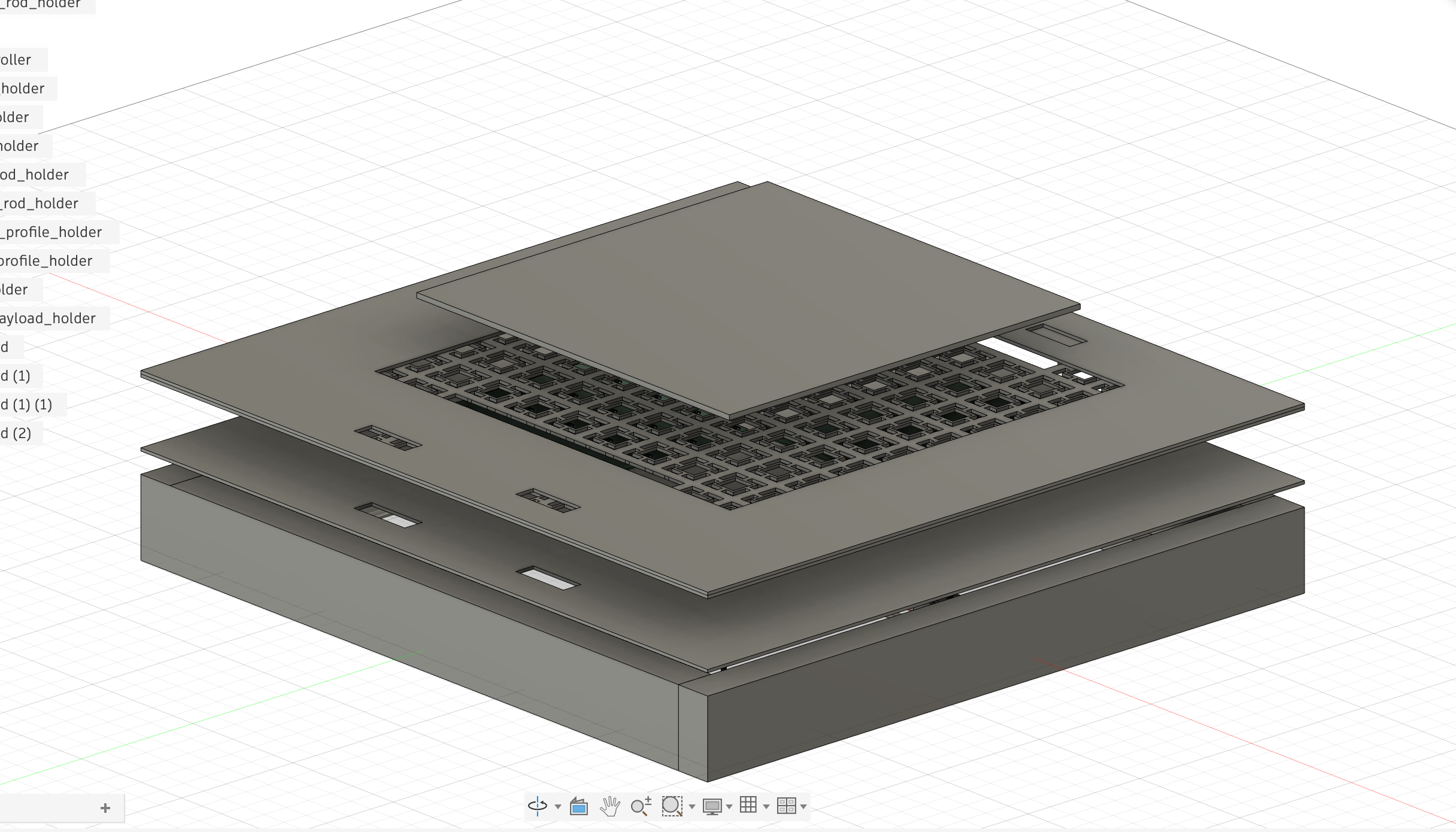
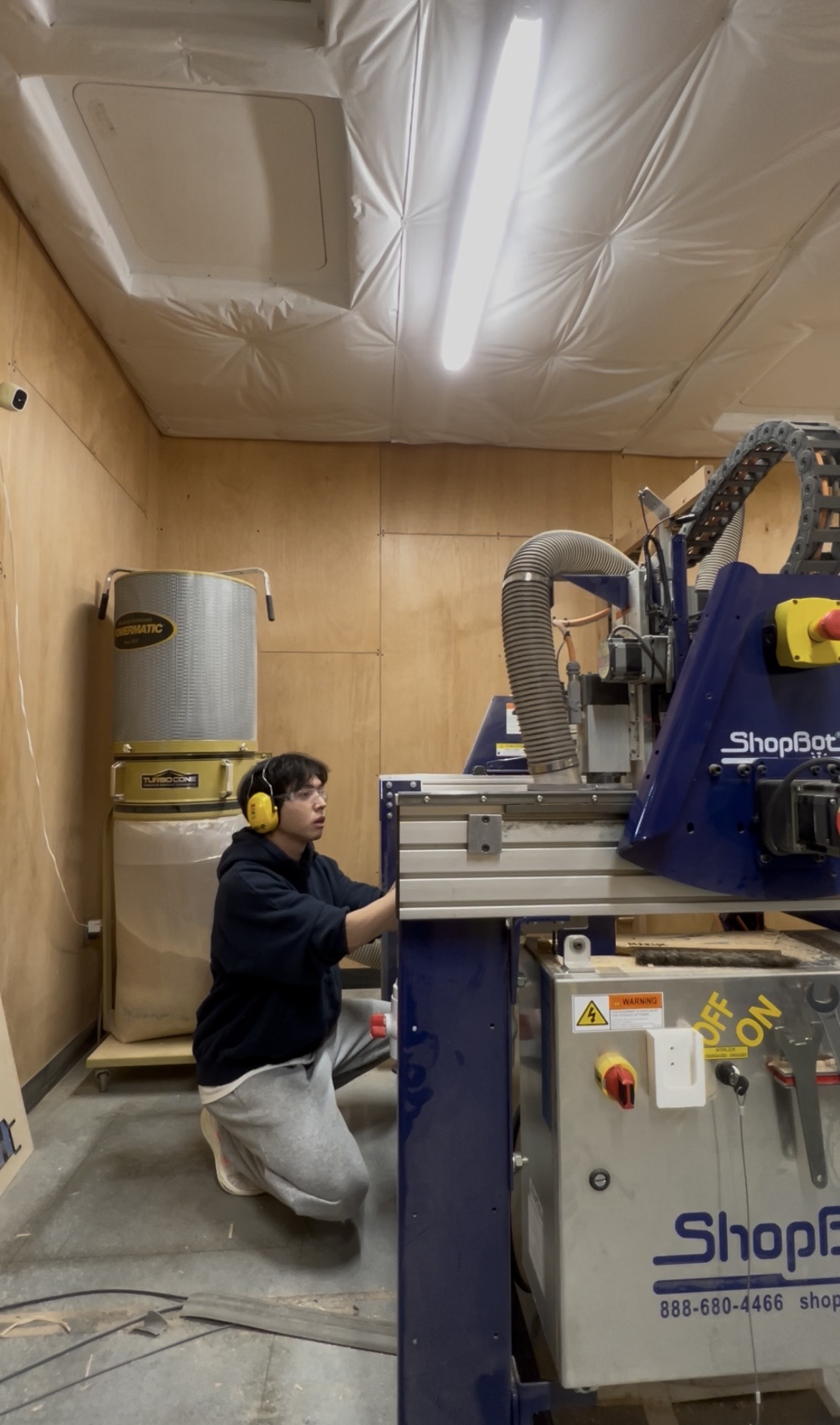
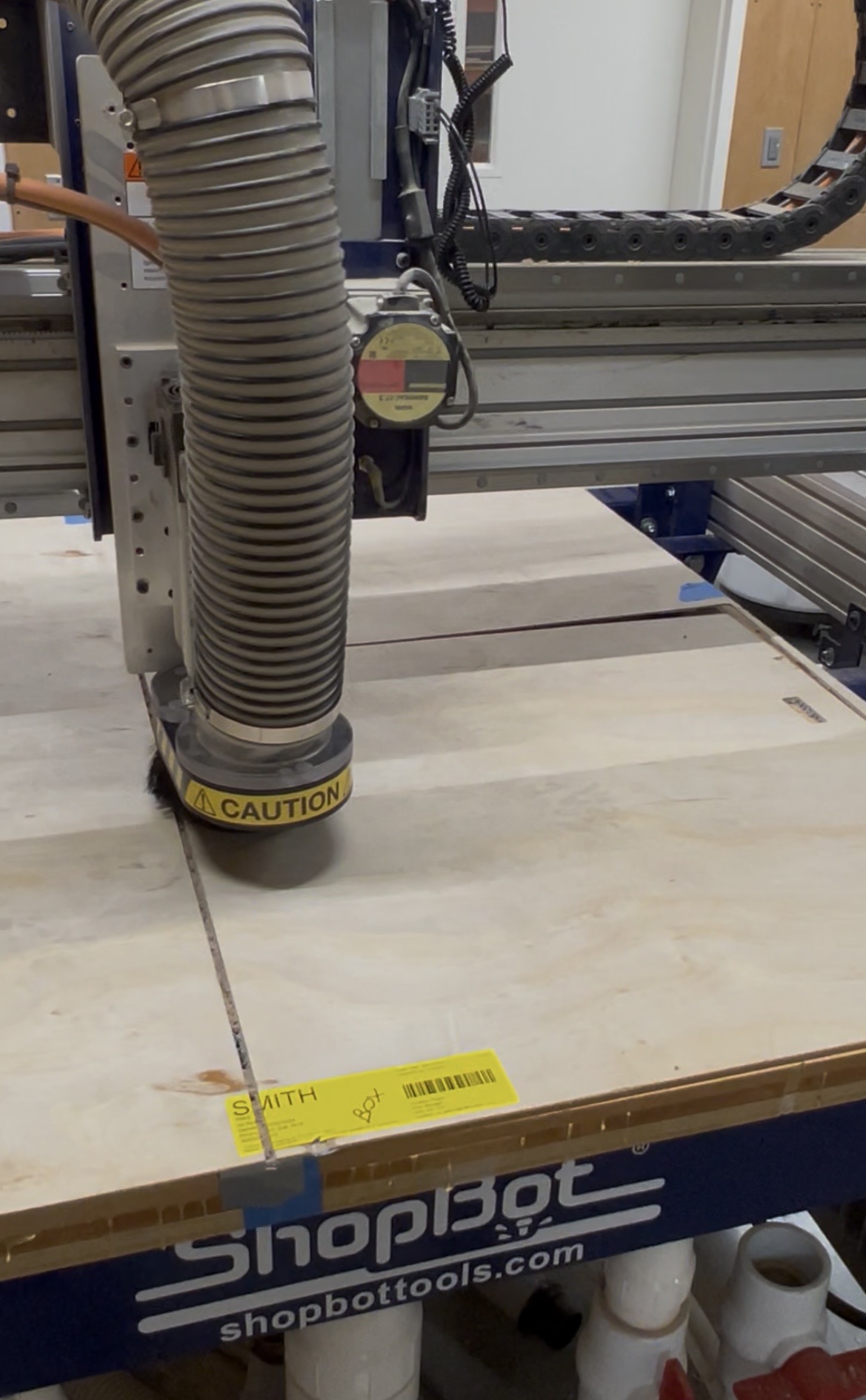
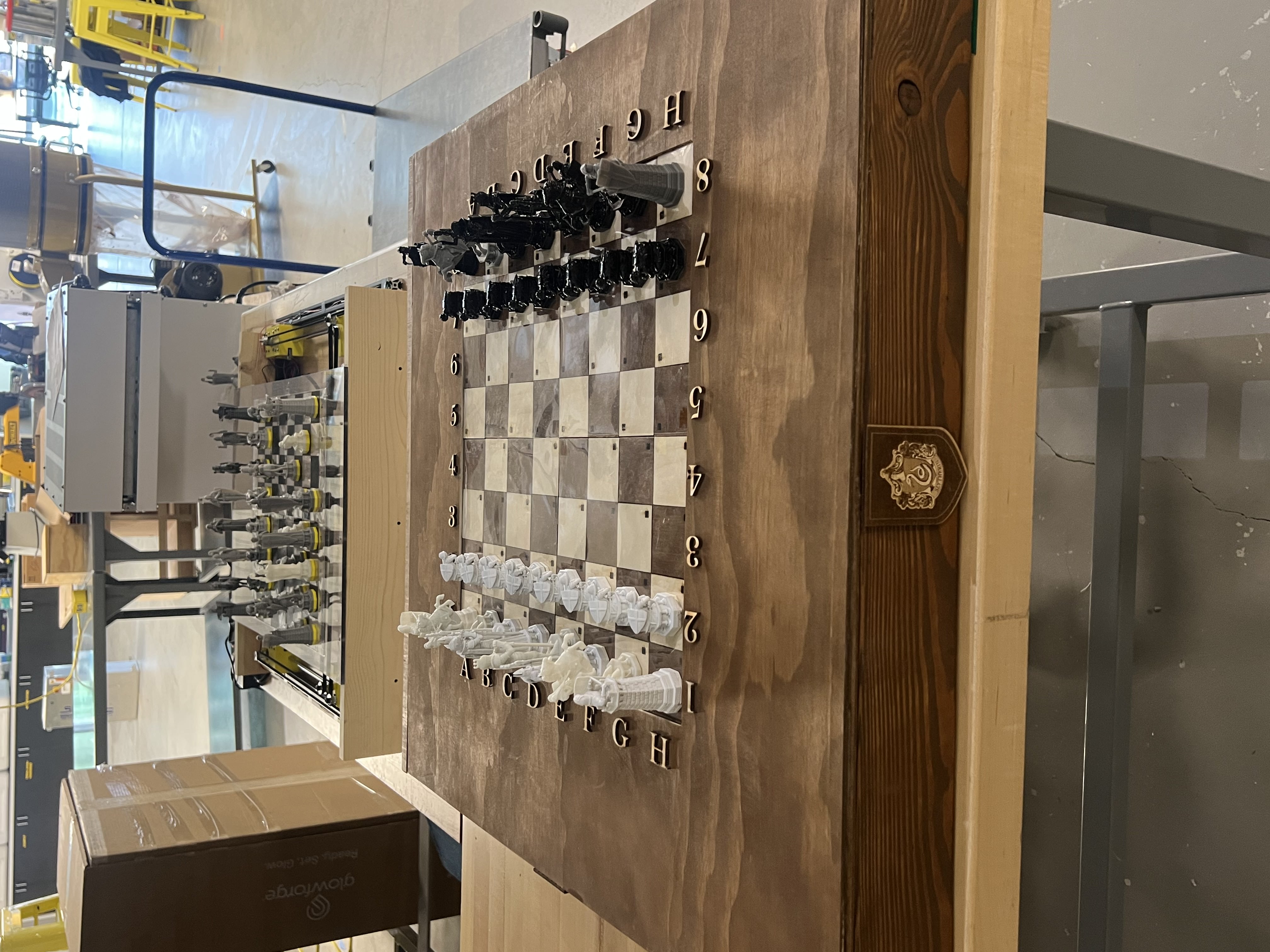
With the engineering constraints solved, we designed and built the final enclosure from scratch. We went with a wooden theme. The goal was for the board to feel like an antique chess set, not a prototype. We used a CNC machine to precision-cut the top layers, a table saw for the structural wood stock, hand-applied wood stain and wax finish, and a laser cutter for the decorative emblems. Everything was designed in Fusion 360 first.
CNC
Precision cuts for top layers
Table saw
Structural wood stock
Wood stain + wax
Hand-applied finish
Laser cutter
Decorative emblems
 Drag to explore · Click to expand
 Drag to explore · Click to expand
 Drag to explore · Click to expand
Fusion 360 enclosure design, then CNC cutting the top layer
 Drag to explore · Click to expand
 Drag to explore · Click to expand
Finished enclosure with wood stain and wax, then final demo with T-Mobile mentor